
MIDI is the glue of most live rigs. The keyboard needs its patch for the next song, the guitar modeller its preset for the solo, the lighting desk a cue on the drop, the DAW in front of house the song position. Rocket Show sends and receives all of that as part of the show, so the MIDI happens at the same moment as the audio, video and DMX on the same timeline.
In short: MIDI goes out from MIDI files and timed actions inside each song, and as MIDI timecode. MIDI comes in from controllers and starts, stops and selects songs. Everything in between can be routed: to the MIDI output, to the DMX lighting or to other Rocket Show units.
MIDI out, in sync with the song
The most direct way to send MIDI is a MIDI file in a composition (a song or cue). It plays from the composition's start alongside the audio, so a program change placed on bar 17 in your DAW arrives on bar 17 every night. Export the MIDI track from the same DAW session as the backing tracks and it lines up by itself.
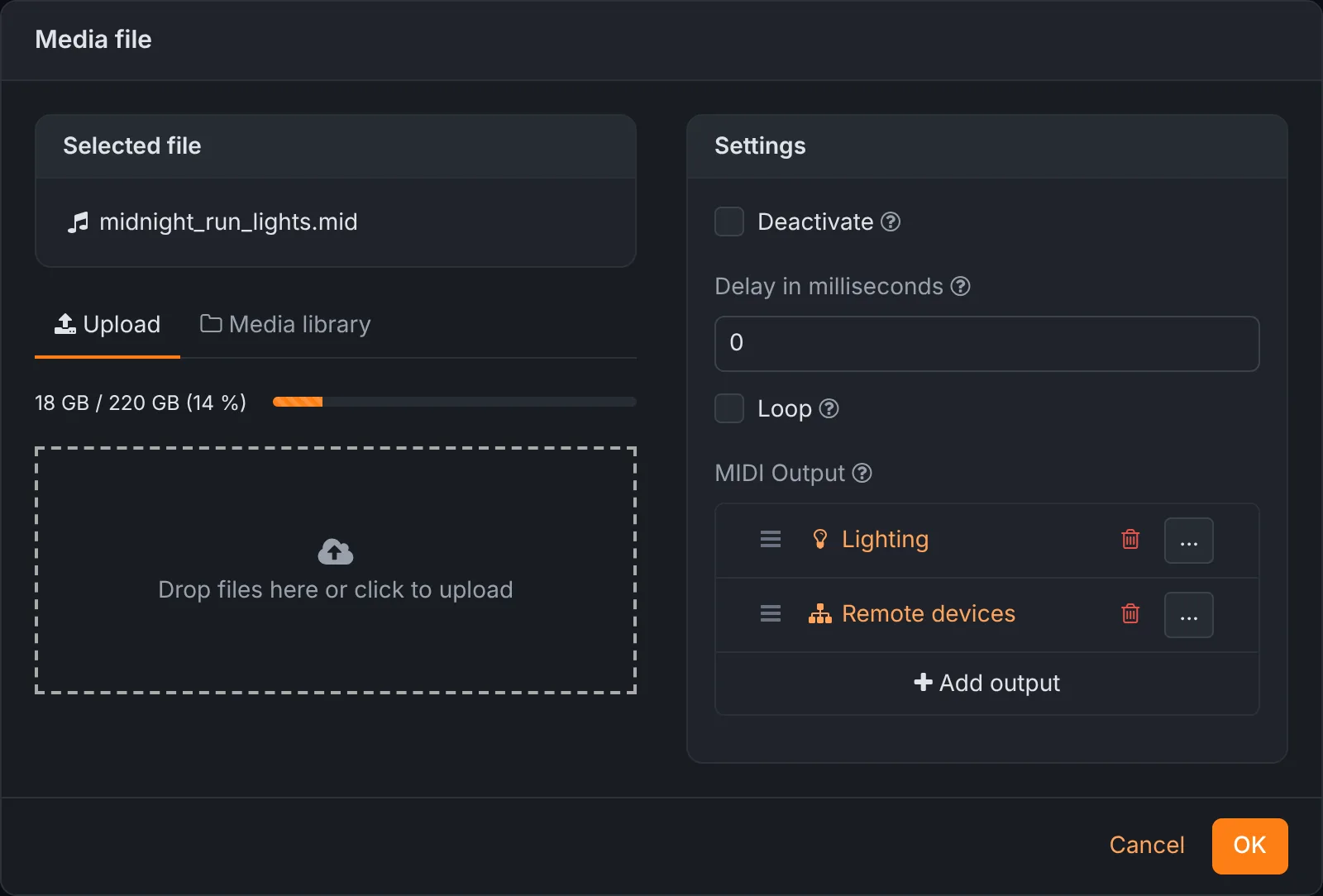
Each MIDI file has one or more outputs:
- MIDI device out
- The MIDI output chosen in the settings: synths, keyboards, guitar modellers, a lighting console.
- Lighting
- Turns the notes into DMX, see below.
- Remote devices
- Other Rocket Show units on the network.
Every output can add a channel offset and a note offset to what passes through, which saves re-exporting a file because the keyboard listens on another channel.
Single messages at a set moment
For a single program change at the top of a song you do not need a file. A MIDI action sends one message at a position you enter in milliseconds: note on or off, aftertouch, control change, program change, channel pressure or pitch bend, on any channel. Actions of other kinds can fire at the same moment, so one position can send a program change, switch a DMX channel and call an HTTP address at once.
MIDI timecode out
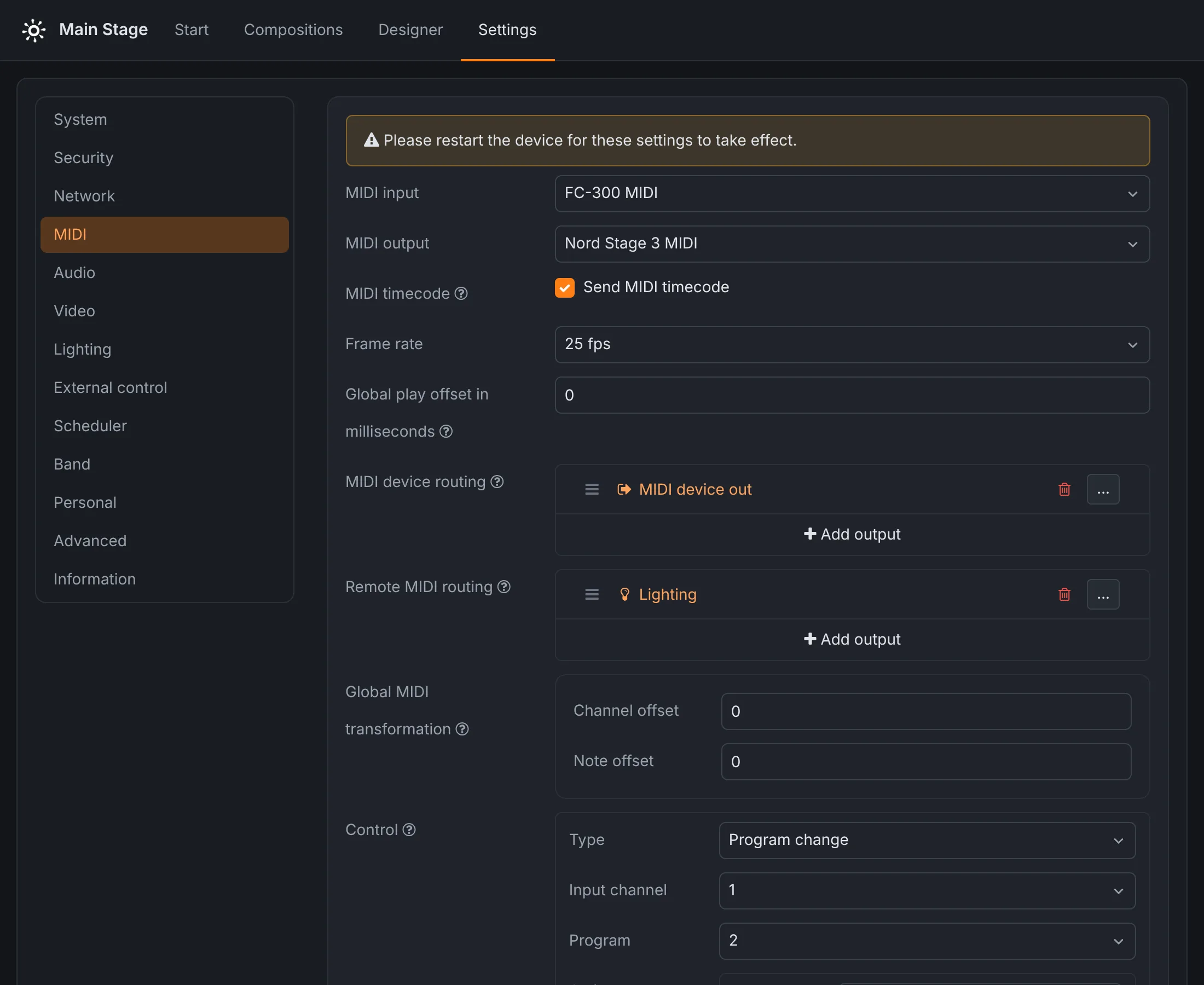
When the DAW at front of house, the lighting console or a video server has to follow the show, switch on MIDI timecode under Settings → MIDI. While a composition plays, Rocket Show sends MTC at 24, 25, 29.97 drop-frame or 30 frames per second, and anything that chases MTC follows its position. A global play offset shifts the MIDI files by a number of milliseconds against the audio, to make up for a slow receiver; the timecode always follows the actual position.
MIDI in: run the show from a controller
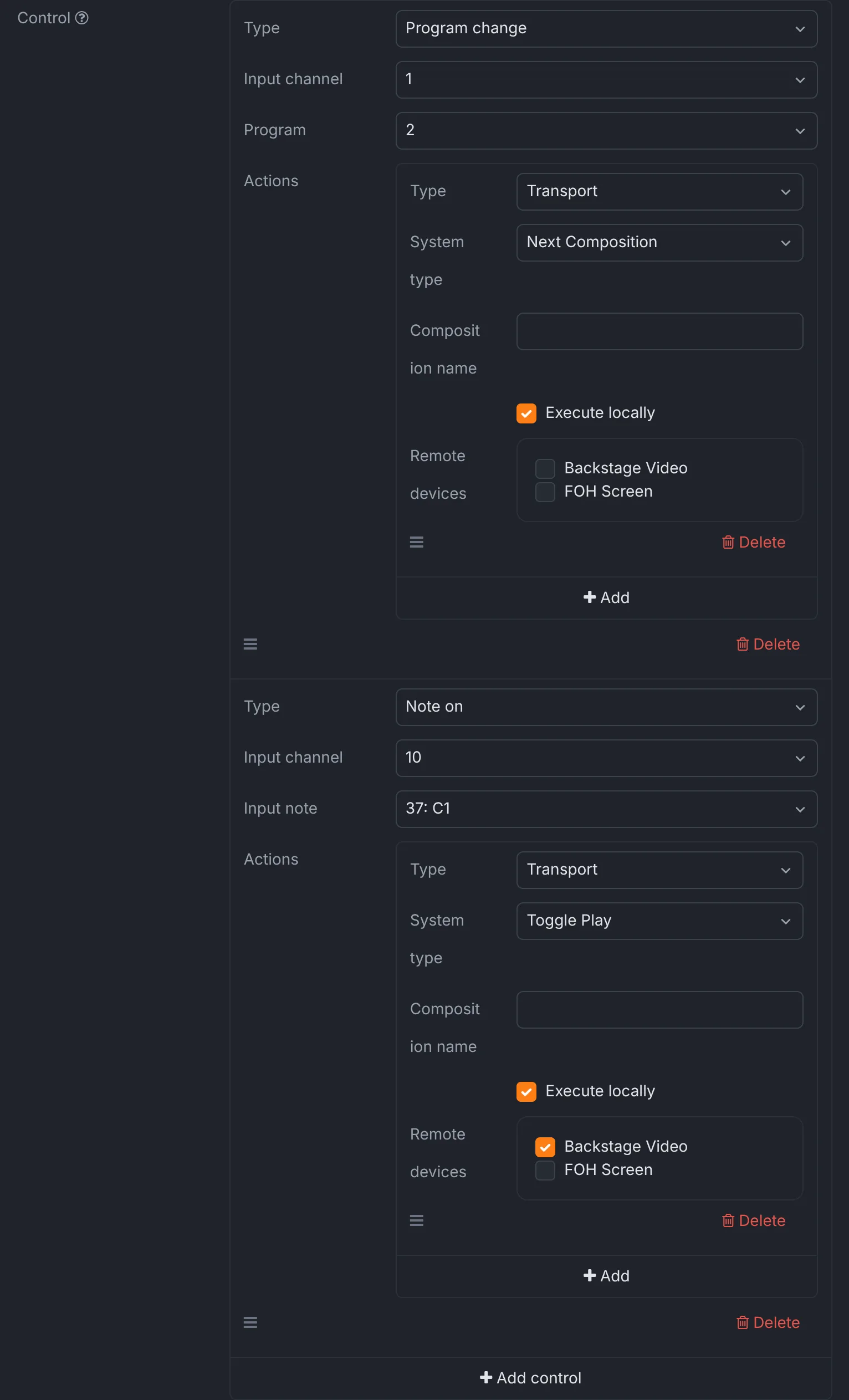
Incoming MIDI can drive the show. A MIDI control listens for a note on or a program change on an input channel and fires a list of actions:
- play, pause, toggle play or stop;
- select the next or the previous song, or a song by name, and optionally play it;
- play a composition as a sample on top of whatever is running, for stingers and sound effects;
- send MIDI, set DMX channels, switch a digital output, call an HTTP address, or do any of it on another unit.
So a foot controller can send program change 2 to move to the next song, and the kick pad of an e-drum kit can start it. A keyboard player can fire a sample from a spare key. Anything that sends a note or a program change works.
A MIDI router in the box
MIDI that arrives at the input does not have to stop at the controls. MIDI device routing forwards it to the MIDI output, to the lighting or to remote devices, so a single controller can play a synth through Rocket Show while also triggering cues. Remote MIDI routing decides where MIDI coming from other Rocket Show units goes, and a global MIDI transformation shifts the channel and note of everything that comes in.
MIDI to DMX
Routed to Lighting, MIDI becomes DMX on one of your universes: the note number is the DMX channel and the velocity, doubled, is its value, so velocity 127 is full. That lets you program simple light changes as notes in the DAW, next to the backing tracks, and play them back from Rocket Show. For a real light show with fixtures, colours and movement, the lighting designer is the better tool; see also DMX on a Raspberry Pi.
Connections
- SPARK has 5-pin DIN MIDI In and MIDI Out on board, and takes USB MIDI devices on its USB port. Several units can trigger each other over MIDI cables or the network.
- The Community Edition on a Raspberry Pi 5 uses USB MIDI devices and interfaces.
Every setting mentioned here is described in the MIDI section of the documentation.
Questions
- Does Rocket Show support the MIDI Show Control (MSC) protocol?
- No. MSC is a specific set of system exclusive commands used by some theatre consoles, and Rocket Show neither sends nor interprets it. It sends notes, program changes, control changes and the other channel messages, from MIDI files and actions, and MIDI timecode. Incoming, it reacts to note on and program change.
- Can Rocket Show follow incoming timecode?
- No. Rocket Show is the timing master: it sends MIDI timecode for other devices to follow, and starts its own cues from MIDI notes, program changes, buttons, schedules or HTTP requests.
- Does it work with USB MIDI devices?
- Yes. USB MIDI keyboards, foot controllers and interfaces appear by name under Settings → MIDI. SPARK also has 5-pin DIN MIDI In and Out on board, so a classic MIDI cable needs no interface at all.
- Can I send MIDI to another Rocket Show unit?
- Yes. MIDI files, incoming MIDI and MIDI controls can be routed to remote devices over the network, and each unit decides where MIDI arriving from the others goes.