
Most bands start playing to tracks with a laptop and a DAW. It works, until the laptop decides to update, the screen saver kicks in mid-song or the sound card drops out because a USB cable got kicked. Rocket Show is a dedicated backing track player: a small box at the side of the stage that does nothing else. You build the set at home in a browser, and on stage the whole band runs it from a foot switch or a phone.
In short: every song is one cue that holds its backing tracks, the click, MIDI, video and lights. The cues sit in a setlist. Tracks and click go to separate outputs, so front of house never hears the click. Rocket Show runs on SPARK, a ready-made box, or free on your own Raspberry Pi.
Tracks and click on separate outputs
The first thing a backing track player has to get right is routing. The audience should hear the tracks, the band should hear the tracks and the click, and nobody should ever hear the click through the PA.
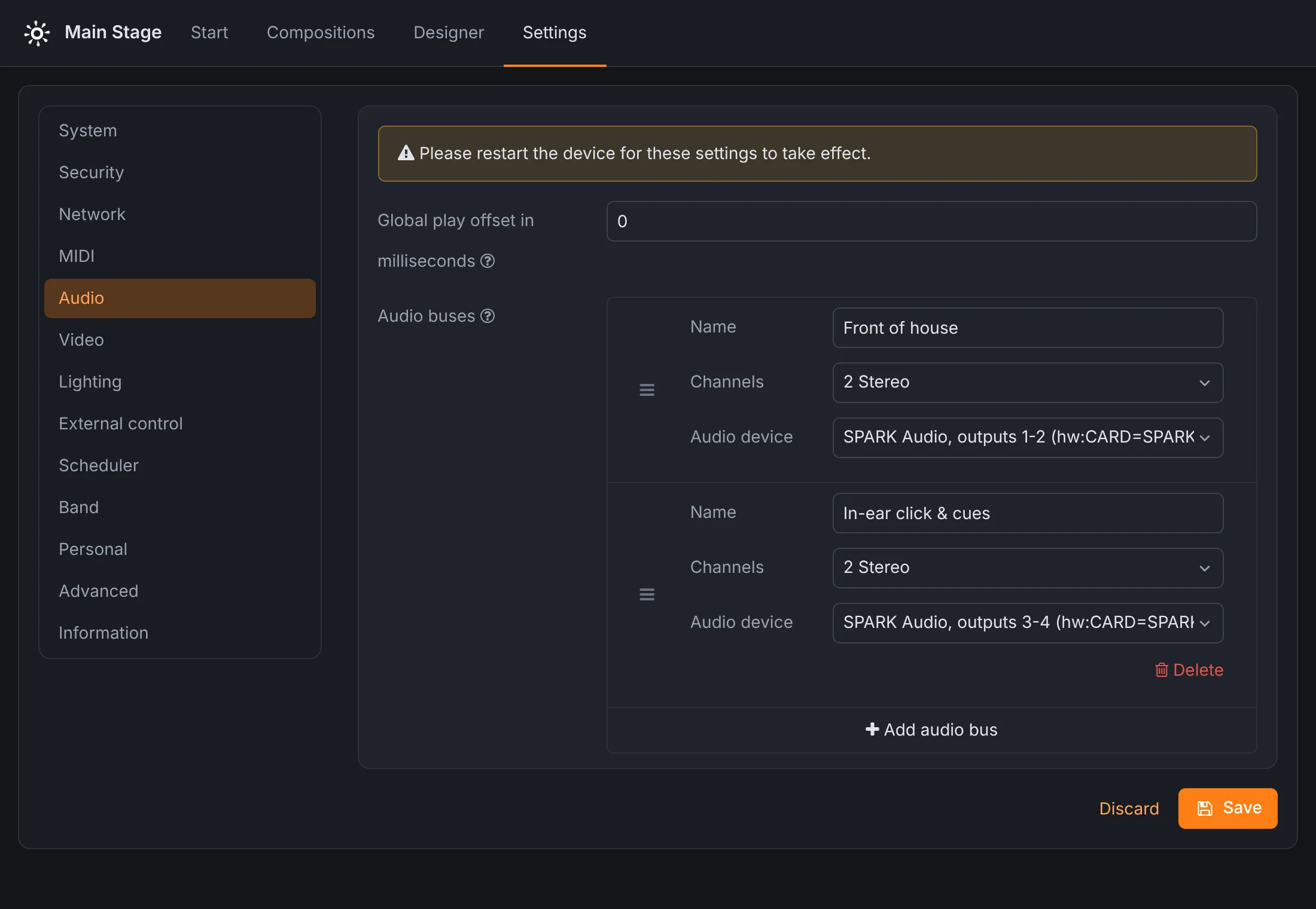
Rocket Show does this with audio buses: named outputs such as Front of house and In-ear click & cues. Each audio file in a song picks the bus it plays on. On SPARK, outputs 1-2 and 3-4 are two independent stereo outputs, so the usual setup is the tracks on one pair to the desk and the click and spoken cues on the other to the in-ear system. Each file has its own volume, so the click can sit a few dB below the tracks without touching the desk.
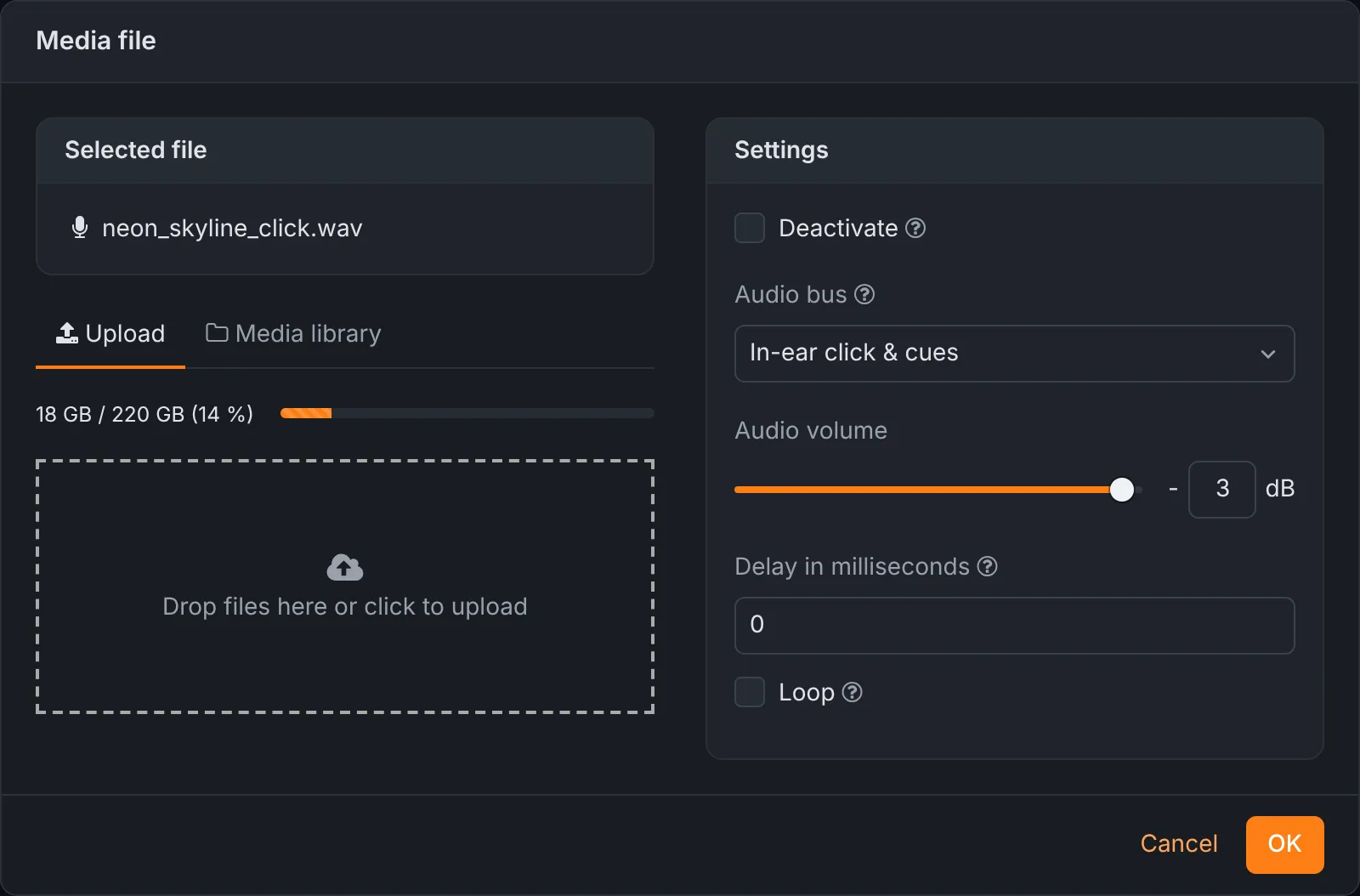
Each file can also start later than the song with a delay in milliseconds. Give the backing track a delay of two bars, and the click counts the band in before the tracks come in. A file can also be deactivated without removing it, which is handy for a guide track you want in rehearsal but not at the gig.
One song, one cue
In Rocket Show a song is a composition. It bundles everything that has to start together: the stereo backing track, the click, a MIDI file with the keyboard's program changes, a video for the screen behind the drummer, the lighting. They all play on the same timeline, so the lights hit the chorus when the track does, every time.
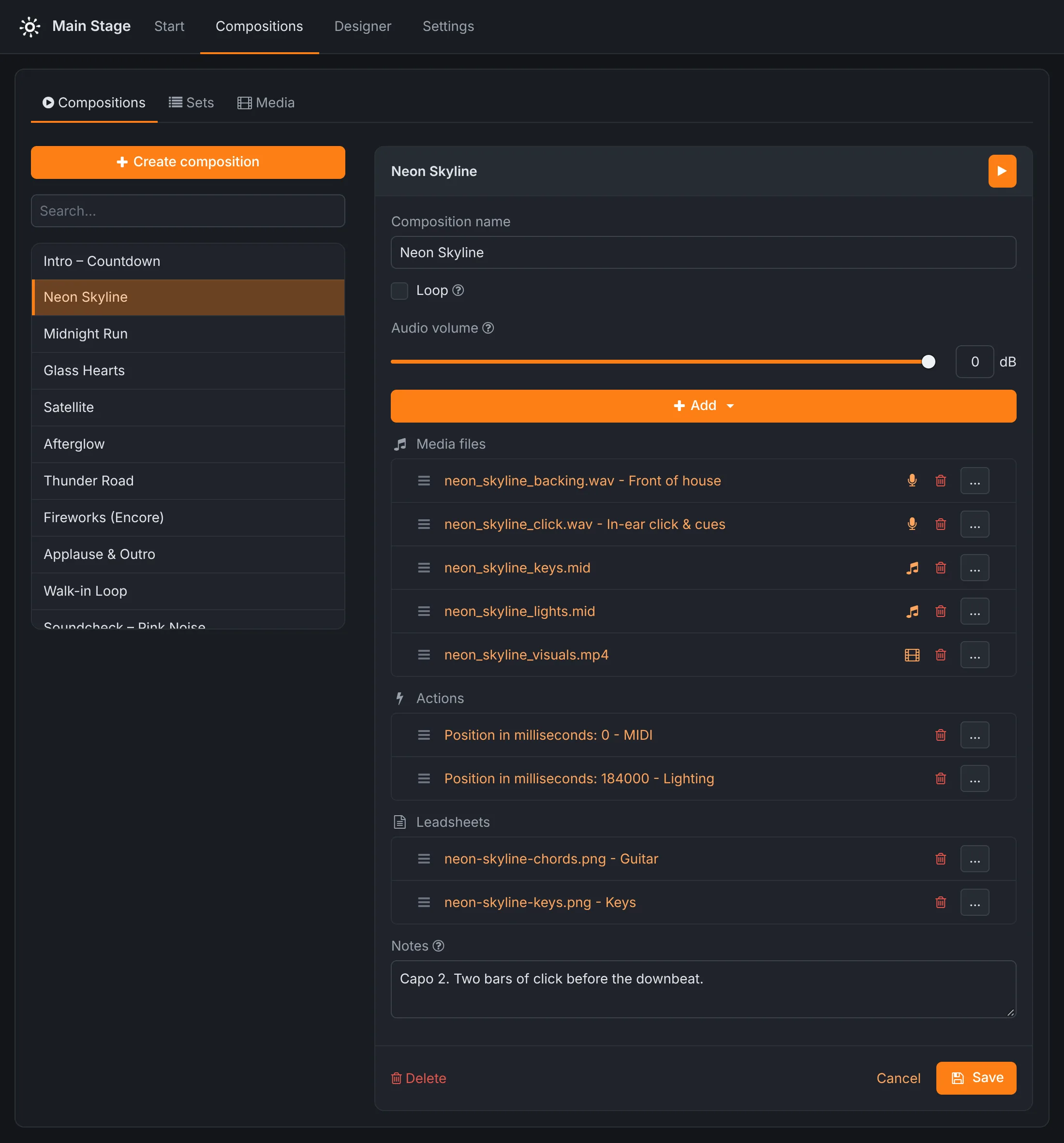
The play button in the editor test-plays the song as it is on screen, so you can check the balance of track and click before saving. Uploaded files go into a media library and are shared by all songs that use them.
The setlist
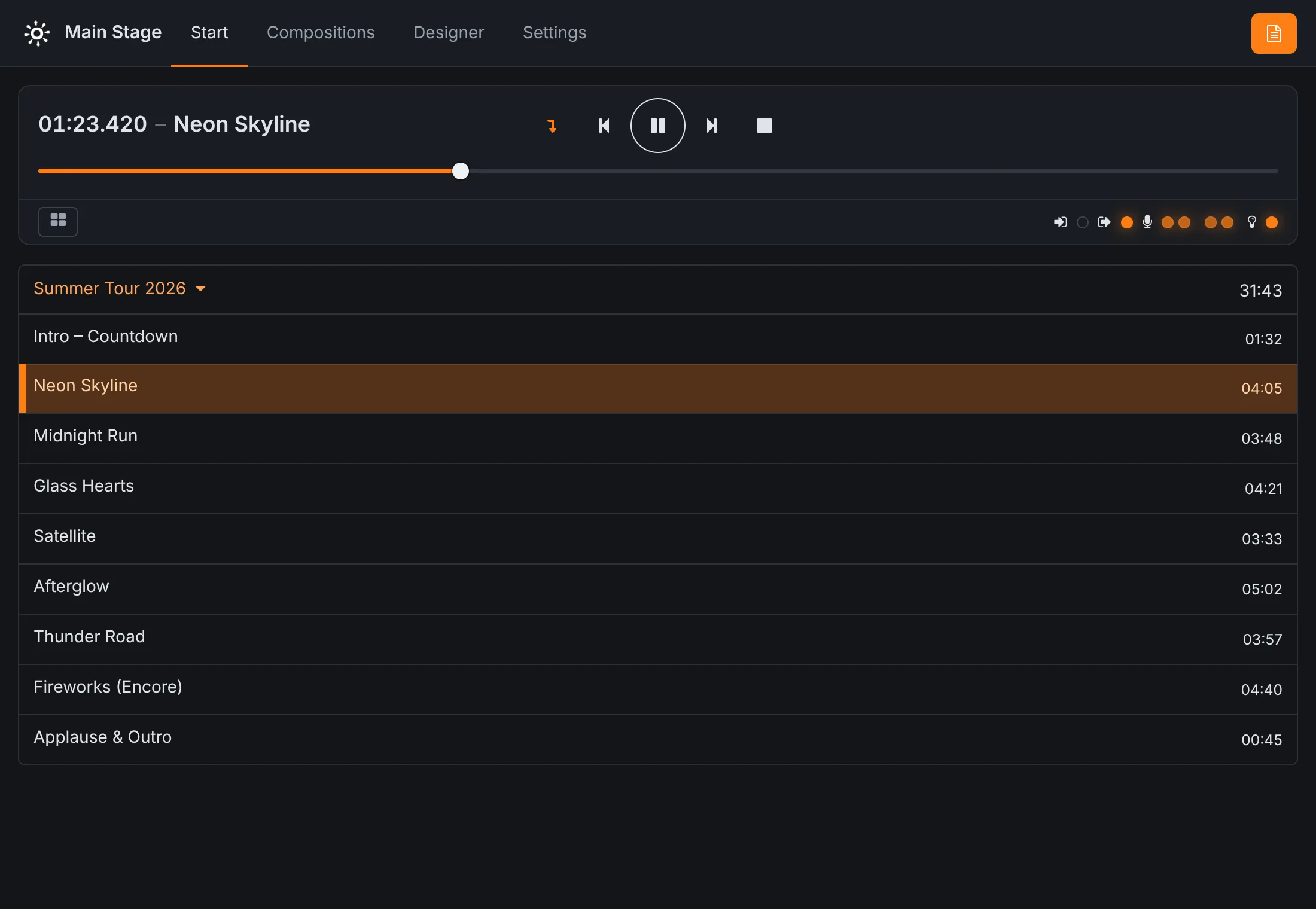
Songs are put in running order in a set. On the Start screen you load the set, and the band sees the list, the song playing and its time. With auto-select switched on at the transport, the next song is selected as soon as one ends, and waits for you. For an intro that runs straight into the opener, or a medley, mark the song to start the next one automatically; then the next song starts by itself, without anyone pressing play.
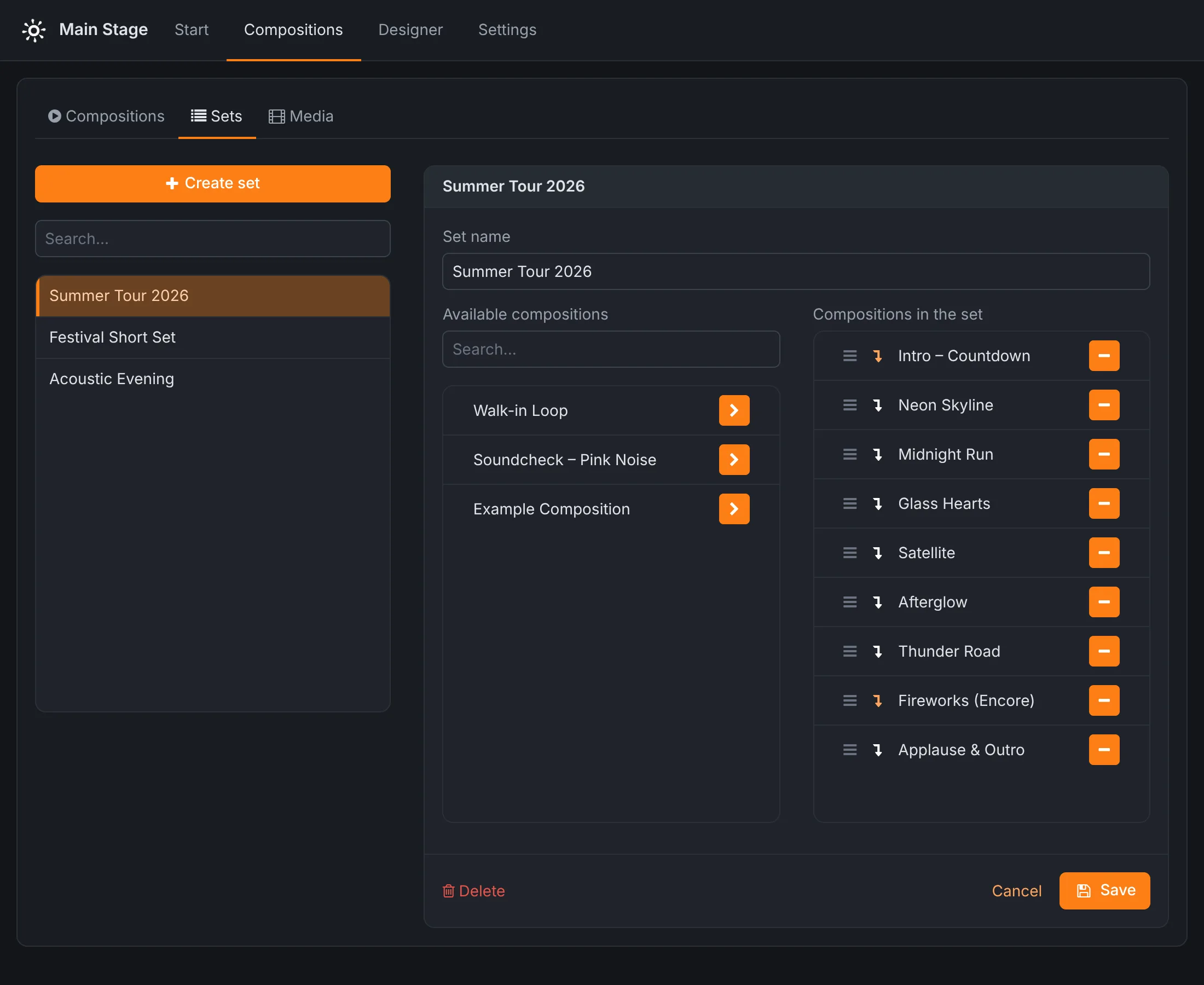
A song can be in any number of sets, so the festival set, the club set and the acoustic set are three lists of the same songs, not three copies.
Hands-free on stage
Nobody wants to walk to a laptop between songs. Rocket Show can be run without touching it:
- A MIDI foot controller or a drum pad. A note or a program change on a channel fires an action: play or pause, next song, previous song, or a song by name. The drummer starts the song from a pad they already have.
- A plain foot switch or button wired to a digital input of the device does the same, without any MIDI gear.
- Phones and tablets. The Start screen works on any browser. Everyone who is connected sees the same state, so the singer can see what is next while the keyboard player starts it.
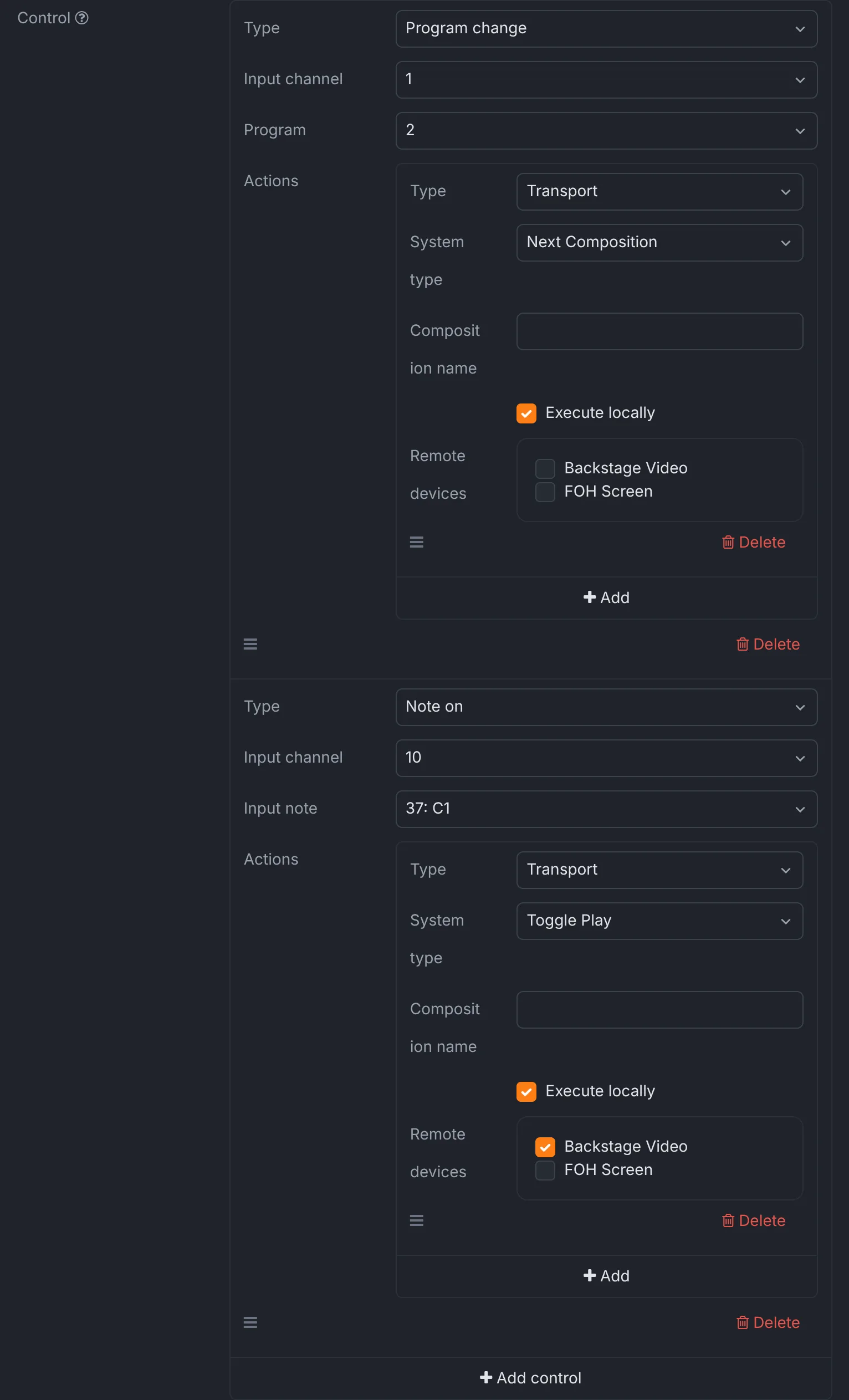
The details of every trigger are in the documentation.
MIDI for keyboards and guitar rigs
Patch changes are part of playing to tracks. A MIDI file in the song sends program changes to the keyboard and the guitar modeller at exactly the right bar, in sync with the audio. A single message can also be fired at a set position without a MIDI file. If your DAW or lighting desk should follow along, Rocket Show sends MIDI timecode. All of that is in the MIDI show control guide.
Lights, video and lead sheets come along
The same song can carry more than sound. A video plays full screen on the HDMI output, in sync with the tracks (see video playback). DMX lighting is designed on the song's waveform in the lighting designer and plays back with it. And each musician can have their own chord chart on a tablet that changes with the song (see lead sheets).
What it runs on
- Rocket Show SPARK is the ready-to-run box: two stereo outputs, MIDI In and Out, DMX, HDMI and digital inputs on board, tested before it ships. Bought once, no subscription.
- The Community Edition is free and open source. Install it on a Raspberry Pi 5, add a USB sound card with as many outputs as you need, and a USB MIDI interface if you use MIDI.
Both run the same show engine and editor. Getting started takes a few minutes; the first show section of the documentation walks through it.
Questions
- Can the audience hear the click?
- No. The click plays on an audio bus of its own, and that bus goes to an output you wire to the in-ear system only. Front of house gets the backing tracks and nothing else.
- How many outputs can I use?
- SPARK has two independent stereo outputs on board, four channels in all, which also work as four mono outputs. More come through a USB audio interface on its USB port. On the Community Edition, you have the outputs of the USB sound card you connect; an audio bus can be anything from mono to 7.1.
- Which audio format should I use?
- WAV is the safest choice. MP3, AAC, Ogg and WMA play as well; see the supported formats.
- Can I skip or repeat a song during the show?
- Yes. Tap any song in the set to select it, use previous and next, or drag the position slider to jump within a song. Audio, MIDI, video and lighting jump together.
- Do I need a laptop on stage?
- No. The device plays the show by itself. You control it from the browser of a phone or tablet, from a foot switch, or not at all, if the set runs through on its own.