
Paper charts blow off the stand at open-air gigs, and someone always has the wrong page when the setlist changes on the night. A setlist app on each tablet helps, until the drummer skips a song and four people swipe to four different places. Rocket Show solves it from the other end: the show itself knows which song is playing, so it shows each musician the chart for that song.
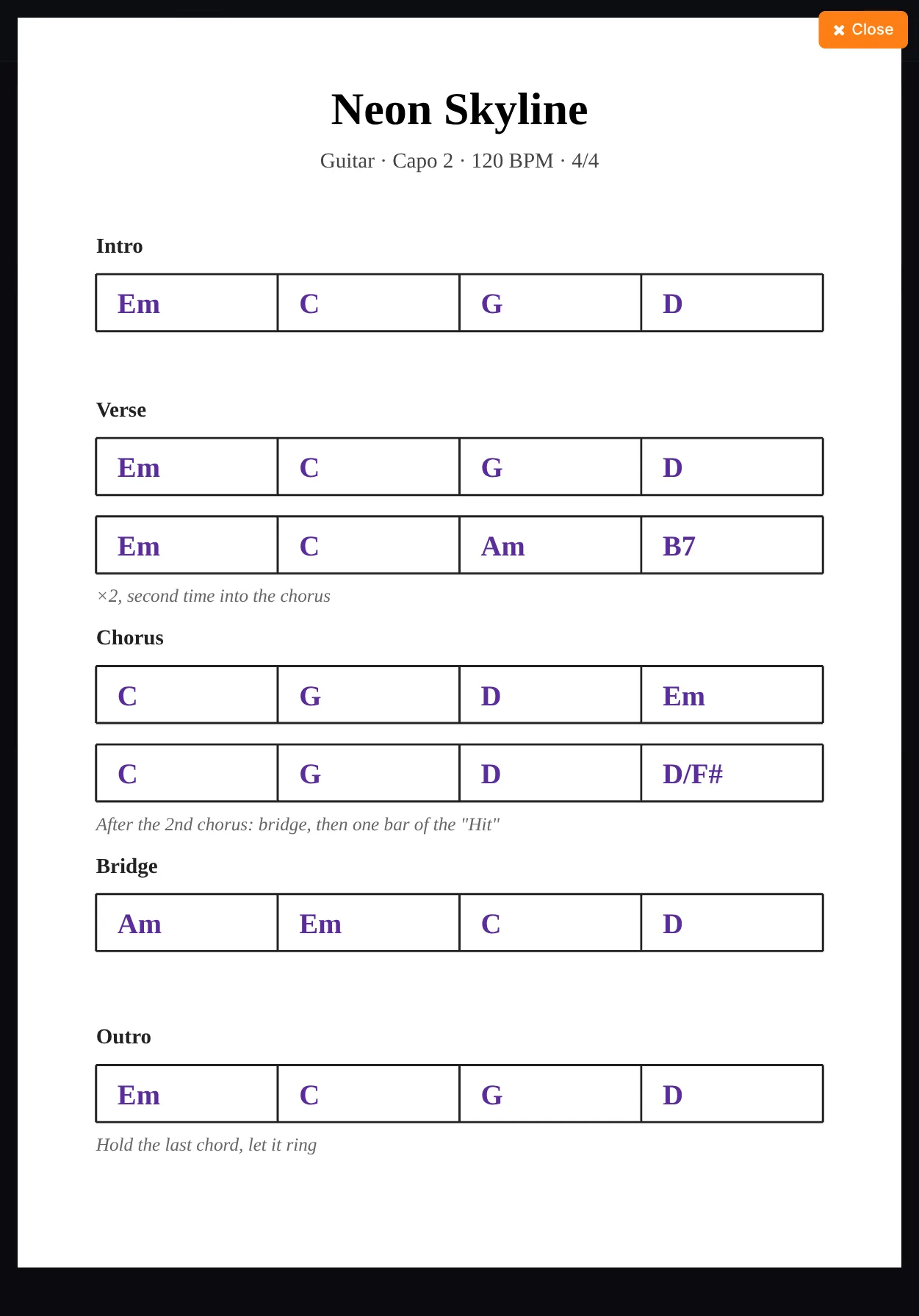
In short: a lead sheet is an image (a chord chart, a score page, a lyric sheet) attached to a song for one instrument. Each musician picks their instrument once on their own tablet. From then on, the tablet shows that instrument's sheet for whatever song the show is on.
How it works
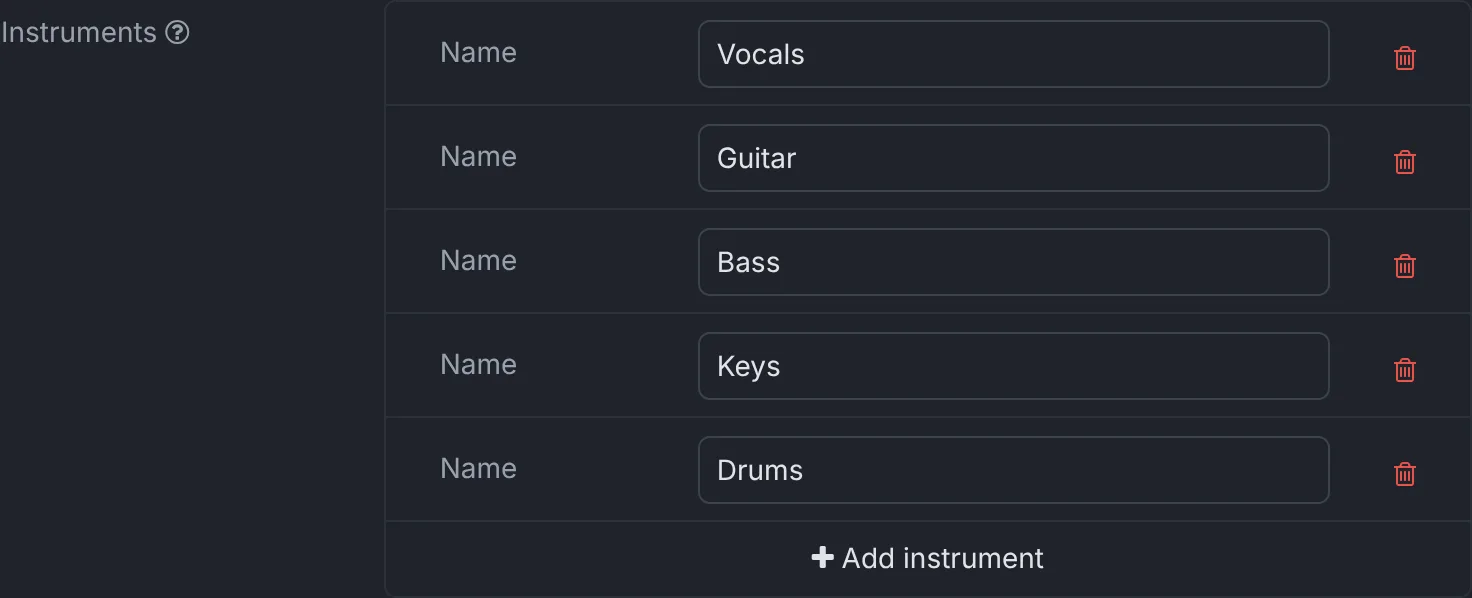
- List the band's instruments under Settings → Band: guitar, keys, bass, vocals, whatever the band needs.
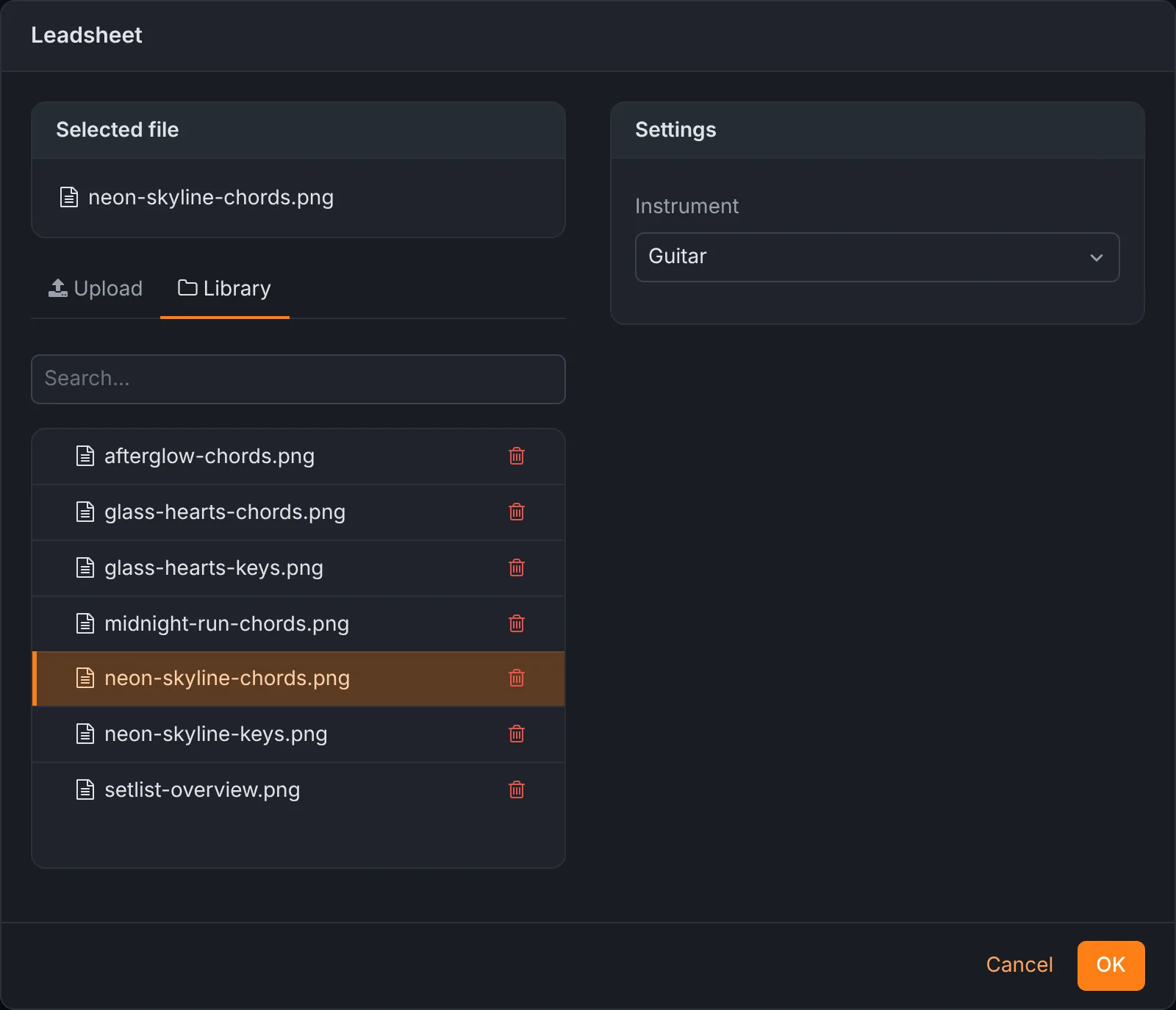
- Attach the sheets to the songs. In a composition, Add → Lead sheet uploads an image, or picks one already on the device, and assigns it to an instrument. A song can have one sheet for each instrument.
- Each musician picks their instrument under Settings → Personal on their own tablet or phone. The choice is stored in that browser only, so every tablet on stage can show a different part.
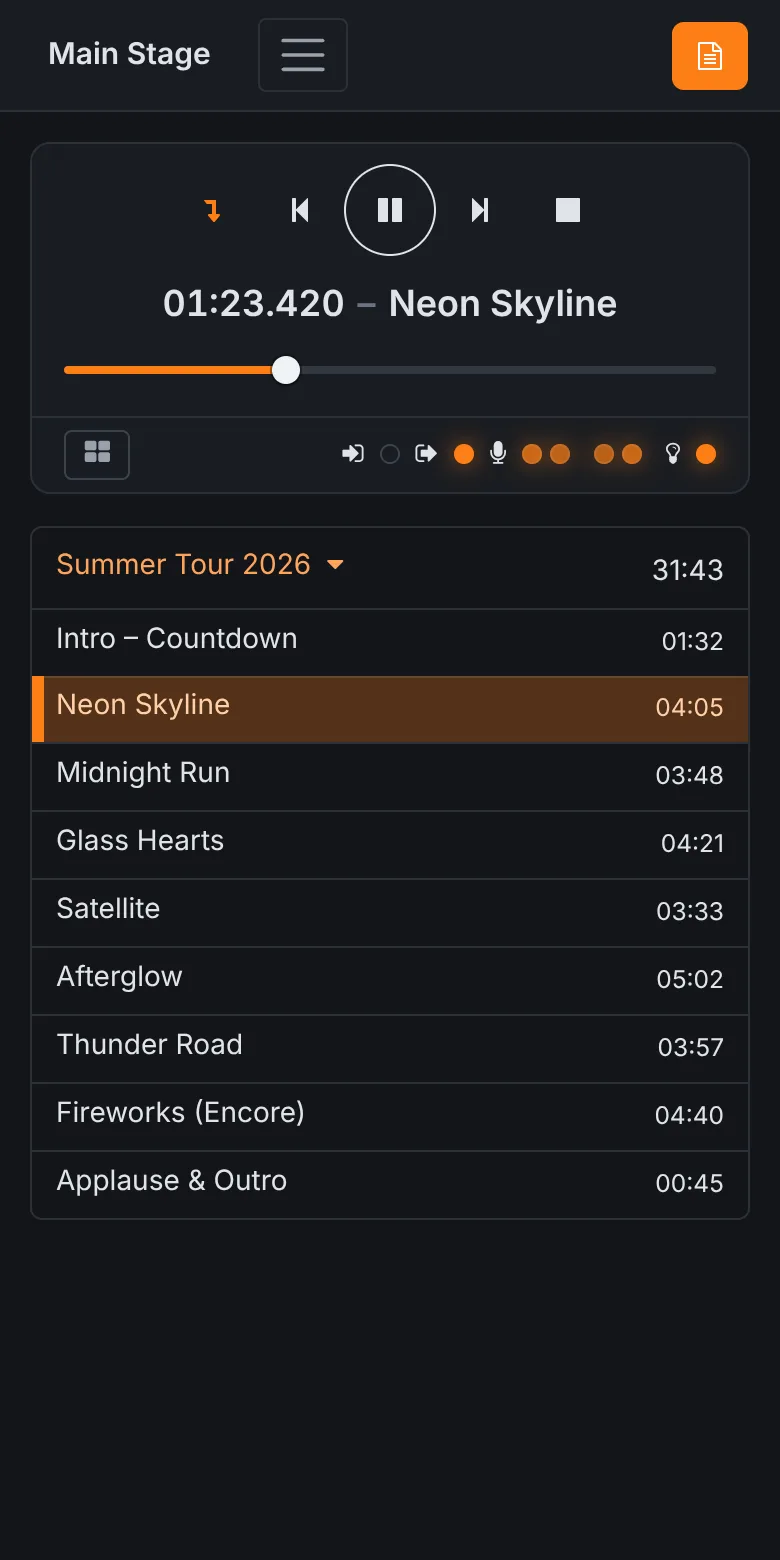
On the Start screen, a sheet button appears whenever the selected song has a sheet for this tablet's instrument. It opens the sheet full screen. When the show moves on, by the next song starting, by a foot switch or by someone tapping another song, the sheet changes with it.
Long charts scroll by themselves
A sheet that is taller than the screen scrolls while the song plays: it shows the top at the start of the song and reaches the bottom at the end, in step with the playback. Pause the song and the sheet stops too. So a two-page chart does not need a page turn: put both pages under each other in one tall image and let it run.
Making the sheets
Any image works, such as PNG or JPEG. A few things make them easier to read on stage:
- Export from your notation or chord chart program as an image at the width of your tablet's screen or larger. Text that is sharp on a laptop can be small on a phone.
- Use dark notes on a white background. The sheet is shown over a dark background, and plain contrast reads best from a metre away.
- One image per instrument per song. If a PDF holds several songs, export the pages separately.
- Put the things that matter in the image itself: capo, tempo, count-in, who starts. The composition's notes field is only shown in the editor.
The setlist on every phone
The sheet is one part of it. The Start screen on any connected phone or tablet shows the set, the song playing, its time and the total running time, and every screen shows the same state at the same moment. The singer sees what comes next; the drummer can start it. See backing tracks for running the set itself.
Who it helps most
- Cover and function bands with a repertoire of a hundred songs and a setlist that changes on the night: the charts follow whatever the band plays.
- Worship teams with musicians who rotate from week to week: a newcomer picks their instrument on their own tablet and has the right part for every song.
- Deps and substitutes who learn the set the day before: the chart for each song is in front of them when the song starts, without asking which one is next.
- Theatre and musical pits, where the music runs to tracks and each player needs their own part, cue by cue.
What it runs on
Lead sheets are part of Rocket Show on both editions: SPARK, the ready-to-run box, and the free Community Edition on a Raspberry Pi. The tablets connect over your network or the Wi-Fi network the device opens itself; nothing needs the internet. The details are in the documentation.
Questions
- Does every musician need an app?
- No. Lead sheets are shown in the browser of any phone, tablet or laptop connected to the device. Nothing has to be installed; each tablet logs in once with the device password.
- Can each musician see a different part?
- Yes. A song has one sheet per instrument, and every tablet shows the sheet for the instrument chosen on that tablet. The guitarist sees the guitar chart and the keyboard player the keyboard part, for the same song at the same time.
- Can I use PDF files?
- Lead sheets are images, such as PNG or JPEG. Export each page of a PDF as an image, or put the pages of one song below each other in a single tall image: it scrolls by itself while the song plays.
- Does it need internet on stage?
- No. The tablets connect to the device, either over your own network or over the Wi-Fi network the device opens itself.