
An installation is a show without an operator. It has to start in the morning when someone flips the main switch, play all day, react when a visitor presses a button, and do it again tomorrow. A media player loops a video; a PC can do more but needs looking after. Rocket Show sits in between: a dedicated box that plays audio, video, DMX lighting and MIDI in sync, and runs on its own.
In short: a default composition plays when the device starts and whenever nothing else is playing. The scheduler starts other compositions at set times. Buttons and sensors start them on demand. Several units can be controlled from one, and a monitoring system can check that each is healthy.
Starts on its own
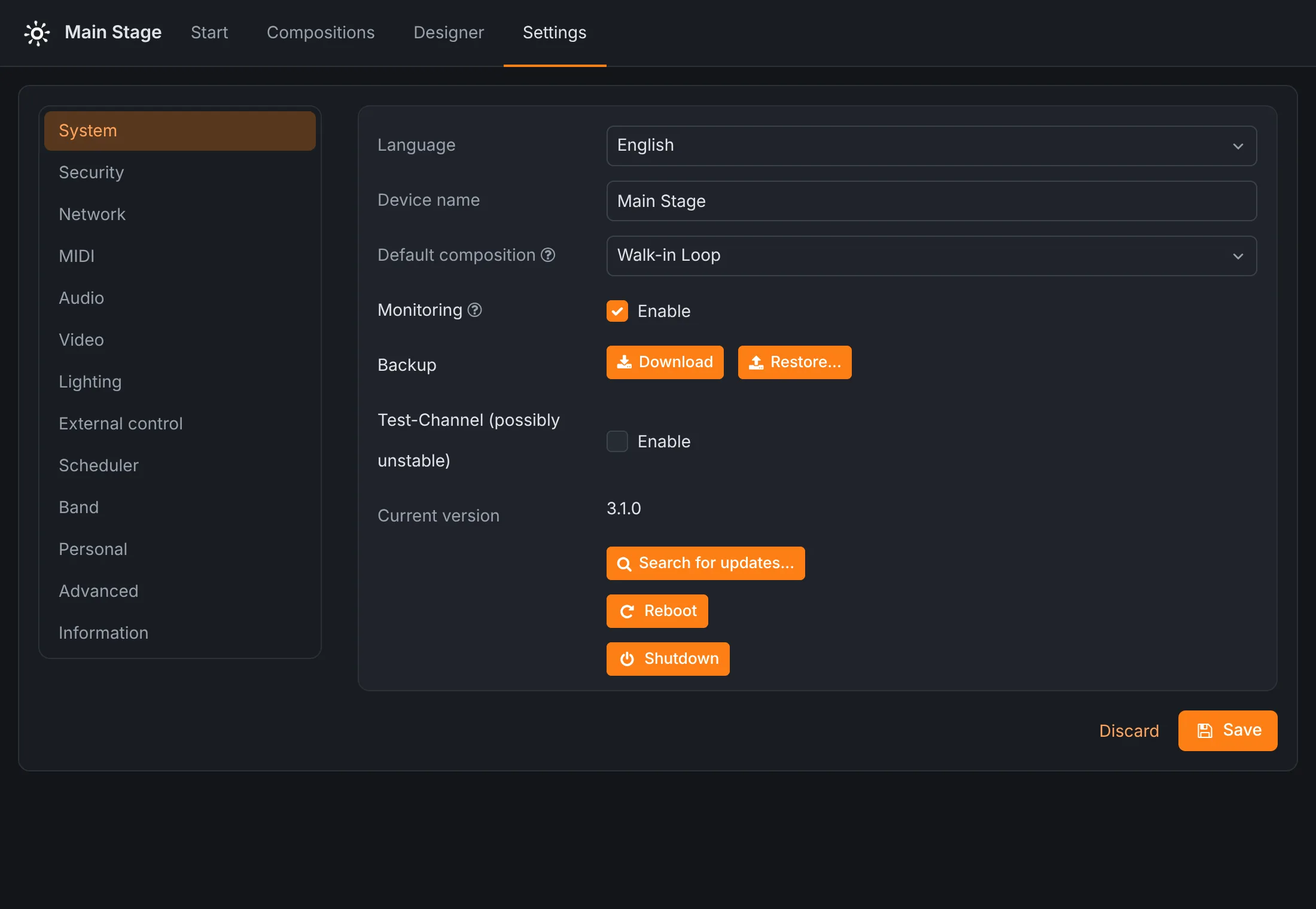
Under Settings → System, choose a default composition. The device plays it as soon as it has started, and again whenever another composition ends or is stopped. Switch on loop for that composition and it runs until someone starts something else. So the morning routine is a light switch: power on, and after the start-up the room is playing.
A composition can hold everything one room needs at once: a soundtrack on four channels, a film on the HDMI output and the DMX lighting of the space, all on the same timeline. Each file can loop on its own, too, so a short ambient loop can run under a longer film.
Follows the opening hours
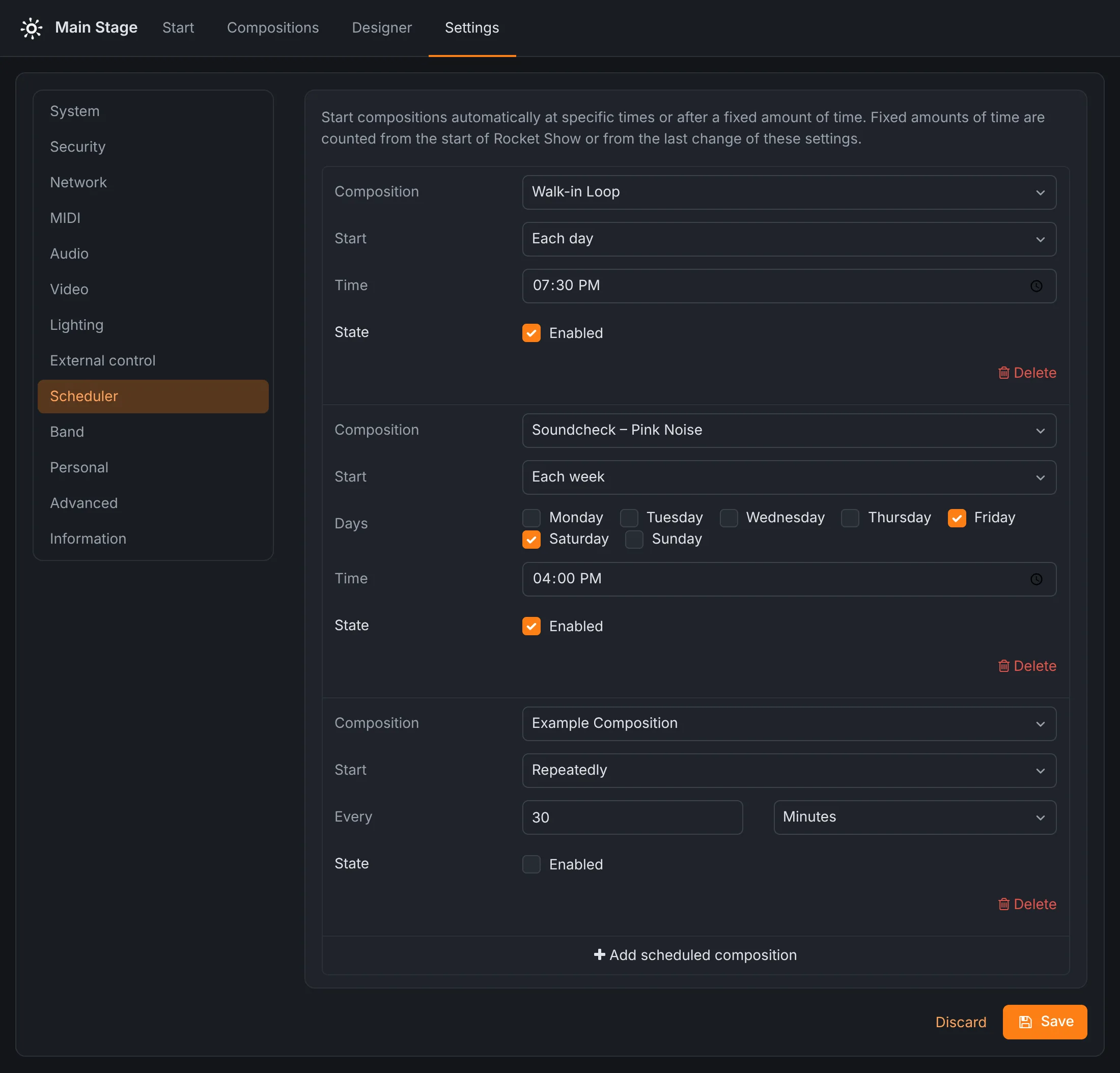
The scheduler starts compositions without anyone there:
- Each day at a time: the opening sequence at 9:00.
- Each week on chosen weekdays: the guided-tour version on Saturdays and Sundays.
- Each month on a day, or each year on a date, at a time. A day that a month lacks, like the 31st, falls on its last day.
- Repeatedly, every so many seconds, minutes, hours, days or weeks, counted from when the device started: a short light show every twenty minutes. For a show exactly on the hour, add an each day entry per hour.
Each entry can be switched off without deleting it, for the week the gallery is closed.
Reacts to visitors
A button, a motion sensor or a light barrier on a digital input starts a composition: the visitor presses the button, the film starts, the room light dims with it, and the default composition takes over when it ends. Inputs, MIDI notes and HTTP requests from other systems all fire the same kinds of actions. The wiring is described in the escape room guide, which has the same needs.
Several rooms, one control
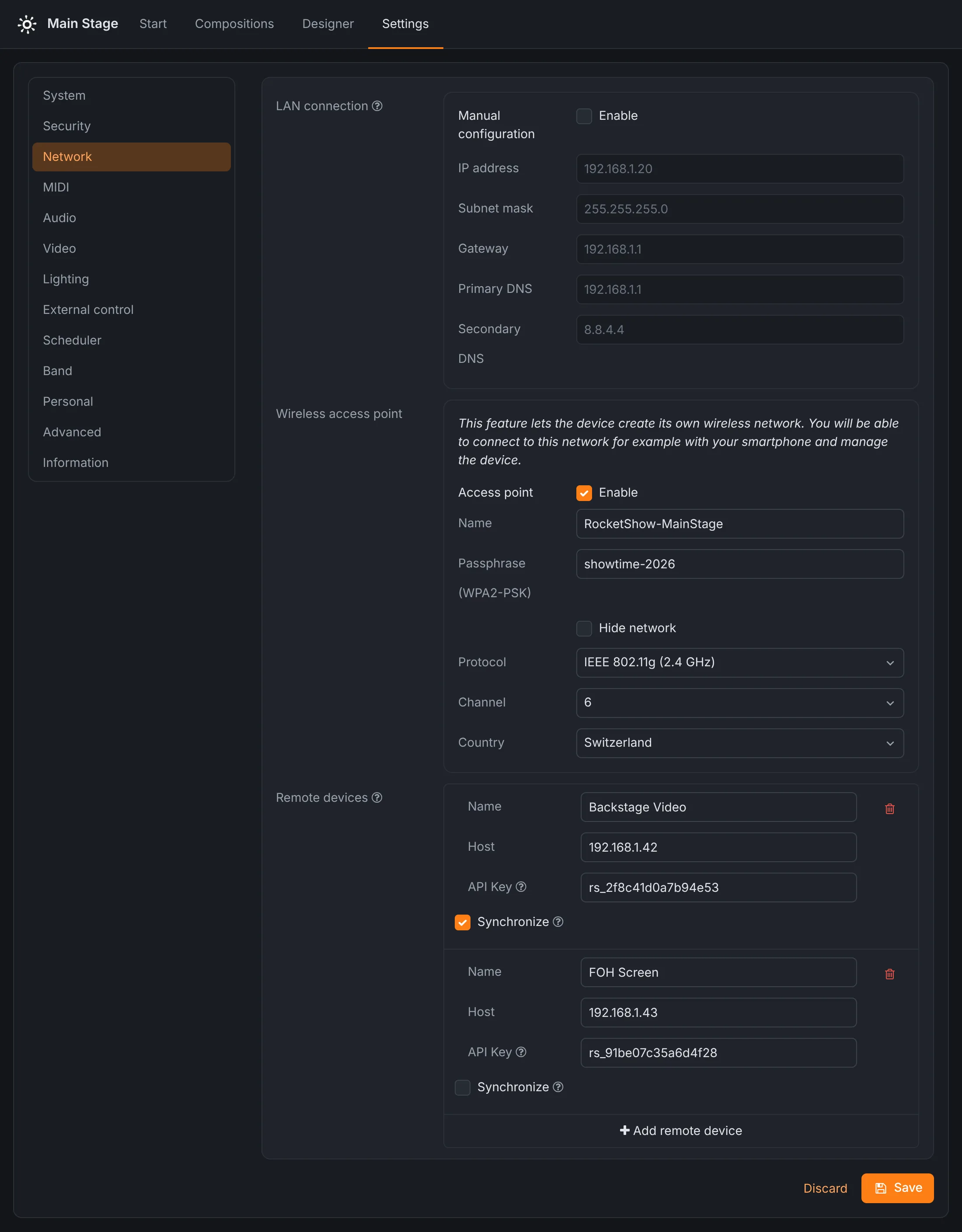
An exhibition with several rooms gets one unit per room. One of them, or one in the control room, can control the others over the network: with Synchronize on, the others start, pause and stop their composition of the same name along with it. Each room keeps its own files and keeps running if the network goes down. The units exchange commands rather than share a clock, so whatever has to be frame-accurate together, like a film and its soundtrack, stays on one unit.
Keeping an eye on it
- Health check.
GET /api/system/healthanswers with the device's state, free storage and memory, temperature and recent error rate, without a password, so a monitoring system can poll every unit. - Remote control. Every unit is controlled from a browser on the network, so a technician can check and restart a room from the office.
- Backups. On SPARK, the whole installation (settings, compositions, media, lighting) is saved as one file and restored onto a replacement unit in minutes.
- Safe updates. SPARK installs updates next to the running system and switches over only when they are complete; an interrupted update leaves the unit on the old version.
For an installation that must never stop, keep a second unit on the shelf with the latest backup on it.
Running for years
In the words of R. Wilhelm of Head Smashed: “We've had several light and music installations running on Rocket Show SPARK for over 5 years — among them the famous Zauberwald in Lenzerheide.” Back in 2018, a Rocket Show device played four-channel audio and DMX light at the Zauberwald for three weeks and over 43,000 visitors.
SPARK is made for indoor use. Outside, it belongs in a weatherproof, ventilated enclosure.
What it runs on
Rocket Show SPARK is built for this: two stereo outputs, HDMI up to 4K, DMX512 and Art-Net, MIDI and digital inputs in one box that starts itself. The free Community Edition runs the same software on your own Raspberry Pi 5. Every setting is in the documentation.
Questions
- Does it start by itself after a power cut?
- Yes. Once it has started, the device plays its default composition, so the installation is running again without anyone touching it. Scheduled compositions carry on at their next time. Schedules at a time of day need the device to know the time, which it takes from the internet: without internet access, check the clock after a power cut.
- Can it play only on weekdays, or only during opening hours?
- The scheduler starts compositions each day, on chosen weekdays, on a day of the month or on a date, always at a set time, or repeatedly at an interval. It starts compositions but does not stop them: for a programme that ends at closing time, start it at opening time and give it the length of the opening hours.
- How do we know it is still running?
- Your monitoring system can ask the device for its health at
/api/system/health: the state, free storage and memory, temperature and recent errors. No password or key is needed for that one request. - Can visitors start it?
- Yes. A button or a motion sensor on a digital input starts a composition, and the default composition takes over again when it ends.