
If you are looking for a QLab alternative, you probably have one of three reasons: you do not have a Mac, you do not want a computer on stage, or you need something that runs on its own every day. Rocket Show answers all three, and it does fewer things than QLab. This page sets out the differences, so you can decide before you spend anything.
In short: QLab is software for the Mac with very deep cue programming, large audio routing and multi-screen video. Rocket Show is a small device (SPARK, or free on a Raspberry Pi) that plays audio, video, DMX lighting and MIDI on one timeline per cue, is run from any phone, tablet or laptop, and can run unattended. If your show needs QLab's depth, keep QLab. If it needs to run reliably without a Mac, read on.
Side by side
| QLab 5 | Rocket Show | |
|---|---|---|
| Runs on | A Mac with macOS 11 or later; Apple silicon recommended | Its own device: SPARK, or a Raspberry Pi 5 |
| Operated from | The Mac, plus the QLab Remote app on an iPad or iPhone | Any browser: laptop, tablet or phone, on any system |
| Price | Free with limits; Audio, Video and Lighting licences to buy or rent by the day | Community Edition free and open source; SPARK bought once, no licences or subscription |
| Audio | 2 output channels free; up to 128 with an Audio licence; fades, mic cues | Named audio buses, mono to 7.1; SPARK has 4 channels on board, more through USB interfaces |
| Video | One output free; multiple screens, edge blending, NDI and Syphon with a Video licence | One video per cue, full screen on HDMI, up to 4K on SPARK |
| Lighting | 16 DMX addresses free, unlimited with a Lighting licence; Art-Net and USB DMX | SPARK: DMX512 and Art-Net. Community Edition: USB DMX, Art-Net, sACN. A lighting designer with 3D preview and effects; no limits |
| MIDI and timecode | MIDI, MIDI file and timecode cues with a licence; MSC; sends MTC and LTC | MIDI files, MIDI actions and routing, MIDI to DMX; sends MTC; no MSC, no LTC |
| Network control | OSC, network cues | HTTP requests in and out, other Rocket Show units |
| Unattended use | Possible, on a Mac set up for it | Built in: starts on power-up, scheduler, buttons and sensors on digital inputs |
QLab facts are taken from Figure 53's feature list, system recommendations and FAQ as of October 2026. For current prices, see the QLab shop. QLab is a product of Figure 53, LLC; Rocket Show is not affiliated with it.
Where QLab is the better choice
- Complex cue stacks. QLab's cue list, with fades, group cues, arming, scripting and precise control of every cue's behaviour, is far deeper than anything Rocket Show offers. A play with three hundred sound cues that fade into each other belongs in QLab.
- Big audio systems. With a licence, QLab routes up to 128 output channels and handles live microphones. Rocket Show plays files to a handful of buses at a fixed level per file, without fades.
- Multi-screen video. Projection mapping, edge blending and several outputs from one machine are QLab territory. Rocket Show plays one video per cue on one screen per device.
- Theatre protocols. If the rest of your system speaks MSC, OSC or LTC, QLab speaks them too.
Where Rocket Show is the better choice
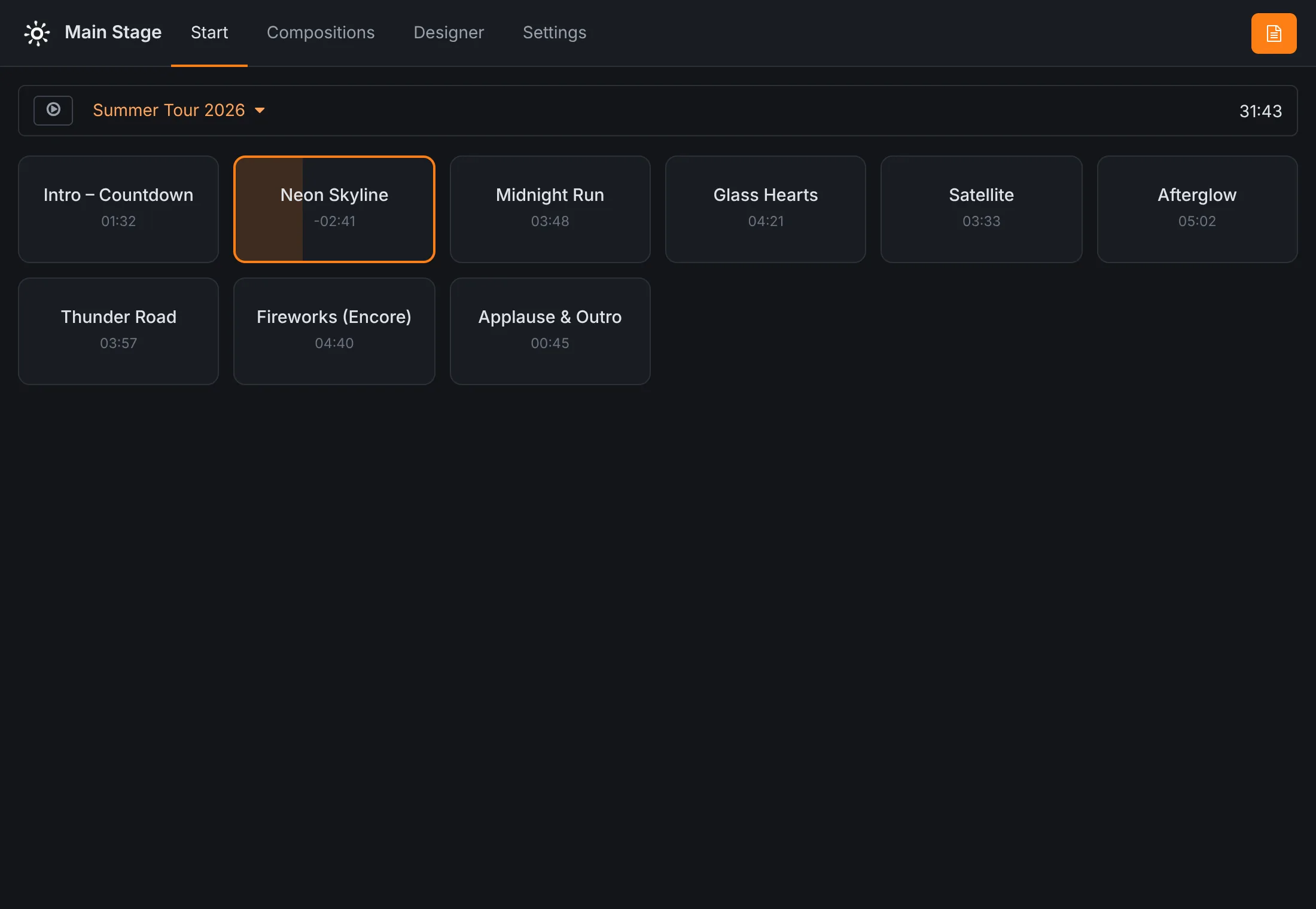
- No Mac, no computer on stage. The show runs on a box the size of a book. Building it and running it happens in a browser, so it does not matter whether the band uses Windows, a Chromebook or an Android tablet.
- One cue, every medium. Each cue (a composition) carries its audio, video, MIDI and DMX lighting on one timeline. The light show is designed in the lighting designer on the waveform of the song, with a 3D preview, and plays back with it.
- It runs on its own. It starts a default cue on power-up, follows a schedule, and reacts to buttons, sensors, MIDI and HTTP requests. That is what installations, escape rooms and attractions need.
- Bands. Tracks and click on separate outputs, setlists, program changes, a foot switch, and a lead sheet for each musician on their own tablet. See backing tracks.
- The price. The show engine, the editor and the lighting designer are all in the free Community Edition. SPARK is bought once, hardware included, with no licences to buy or rent.
Moving a show from QLab
There is no import, but the building blocks map onto each other:
- Cue list
- A set: the cues in running order. Shows played out of order use the cue grid, one button per cue.
- Audio and video cues
- The files of a composition. Cues that start together become one composition; a delay in milliseconds starts a file later.
- Auto-continue
- A cue marked in the set to start the next one when it ends.
- Light cues
- Scenes in the lighting designer, drawn on the composition's timeline, or lighting actions that set channels at a moment.
- MIDI and network cues
- MIDI and HTTP actions at a position in a composition.
- Hotkeys and triggers
- MIDI controls, digital inputs and HTTP requests that start, stop or select cues.
Copy the audio and video files over, build one composition per cue, and test-play each one in the editor. The documentation covers every screen.
Questions
- Is there a Windows or Linux version of QLab?
- No. QLab 5 runs on macOS 11 (Big Sur) or later only. Figure 53, its maker, says a port would mean rewriting it from scratch. QLab Remote on an iPad or iPhone controls a Mac running QLab, but does not replace it.
- Can I control Rocket Show from Windows?
- Yes. Rocket Show runs on its own device, and you build and run the show from a browser: Windows, macOS, Linux, an iPad or an Android phone all work. Nothing is installed on them.
- Can Rocket Show replace QLab in a theatre?
- For shows whose cues are sound, video, DMX lighting and MIDI started in order or from a cue grid, often yes. For productions built on cue stacks with fades, many outputs, microphones, multi-projector video or MSC and OSC, QLab is the better tool.
- Is Rocket Show free?
- The Community Edition is free and open source, on your own Raspberry Pi 5: the same show engine, editor and lighting designer as SPARK. Rocket Show SPARK, the ready-made device, is bought once, with no licence fees and no subscription; it adds over-the-air updates, backup and restore, a factory reset and HTTPS.