Coming soon

Ember. Your light show, without the laptop.

A small stick that plays the show you design for free in the browser — on the lights you already own. Step through your set with a footswitch, a button or your setlist app.

The device

Small enough for a gig bag. Made for the stage.

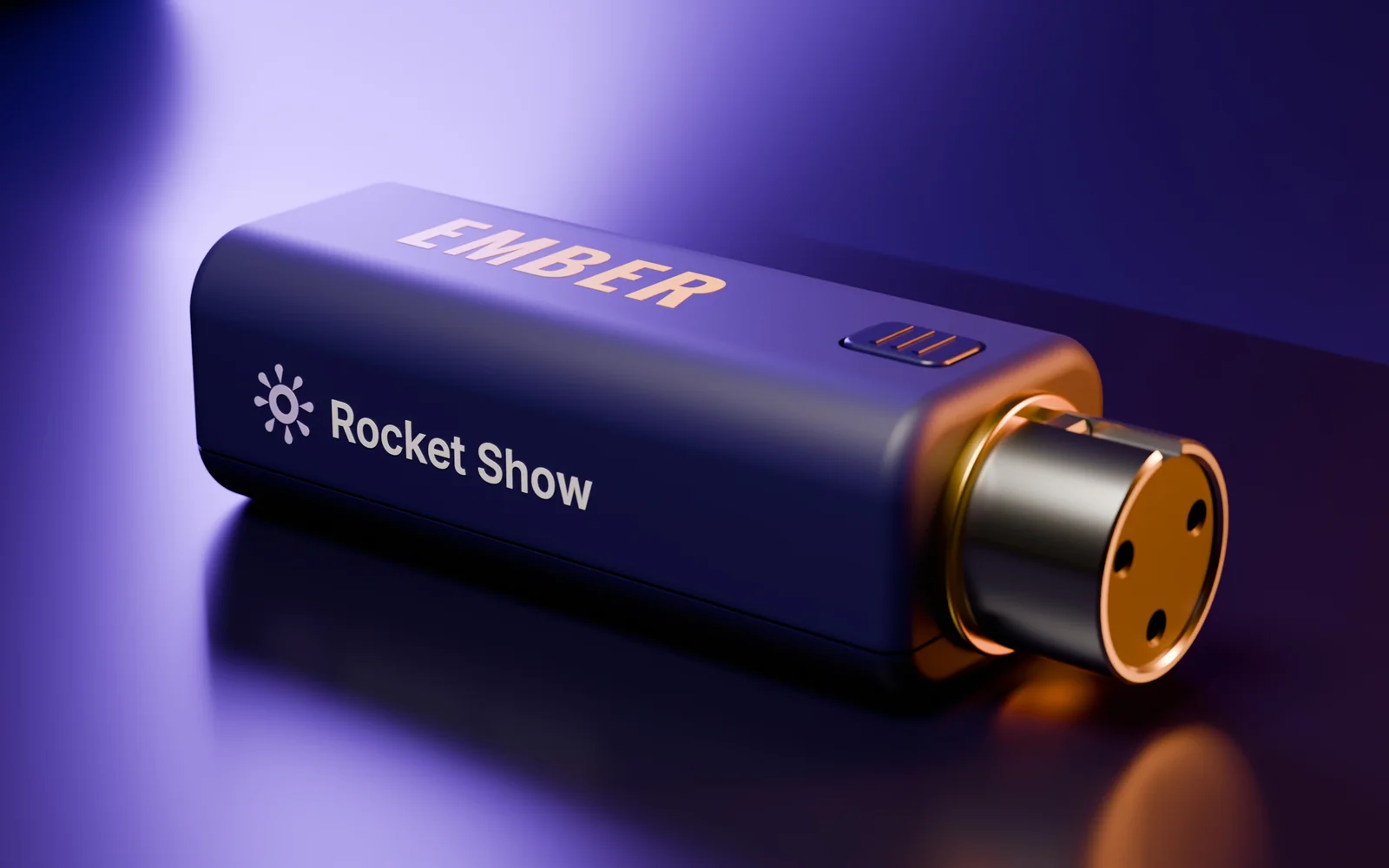
Ember goes on your lights' DMX cable at one end and on USB-C power at the other: a phone charger, a power bank, a laptop or an iPad. Its one isolated DMX output drives up to 512 channels — pars, bars, moving heads and the light sets bands already own.

No Wi-Fi, no app, no pairing, nothing to update before the show. Plug it in and it carries on where it left off, even after a power cut.

Draft design of Ember on a dark stage: a small indigo stick with EMBER printed in gold and a 3-pin DMX socket at one end

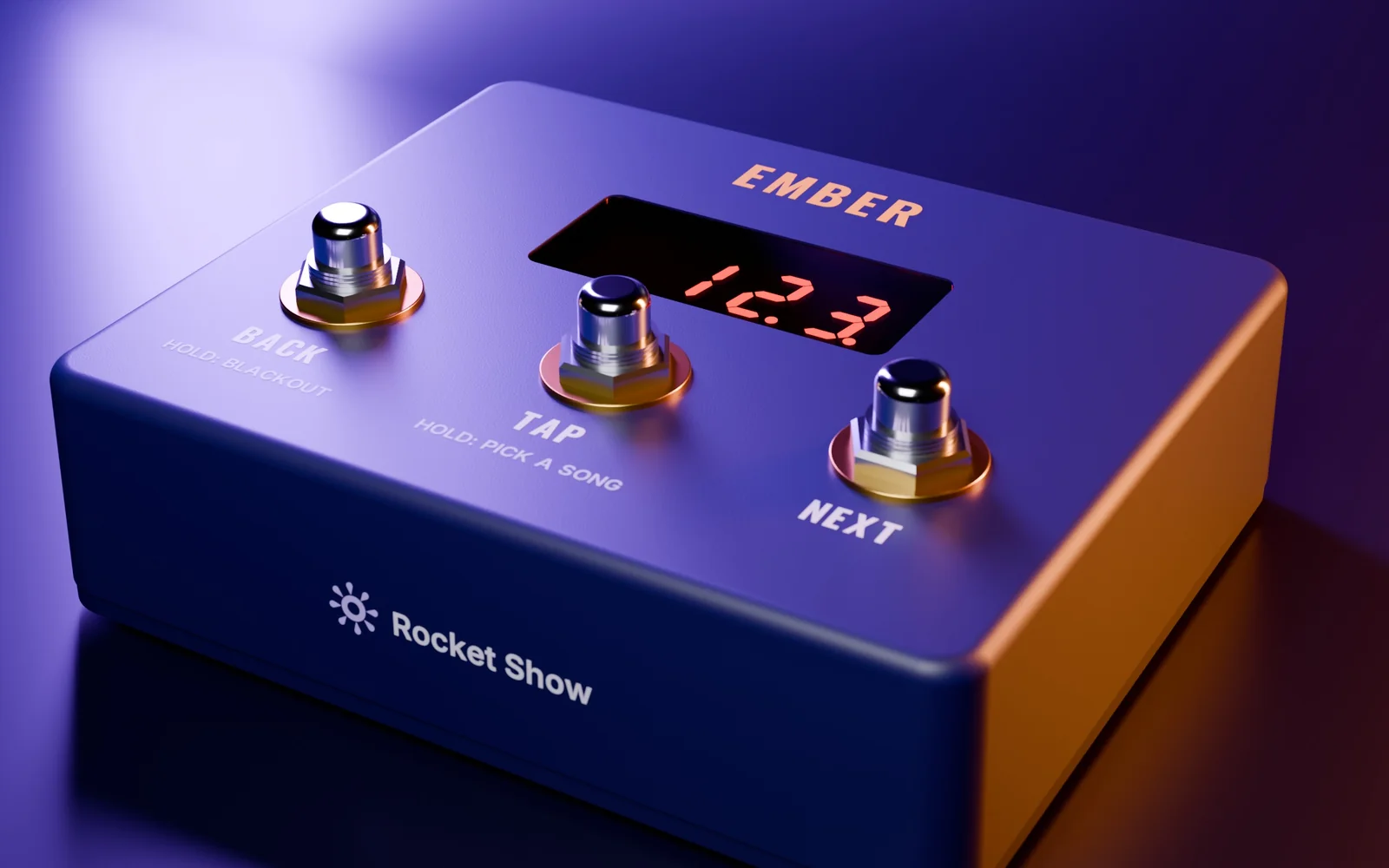
Draft design — the final device may look different.

For bands

Always know where you are in the set.

The footswitch for bands has three switches — back, tap and next — and a display that shows the song, the part and the beat. Next lands on the downbeat, tap keeps the lights on your drummer's tempo, and a request is a few presses away.

Playing to an iPad? Setlist apps and ProPresenter can step Ember over MIDI instead, through the same USB cable that powers it.

Draft design of the Ember footswitch on a dark stage: switches labelled back, tap and next below a red display showing 12.3
The designer

Design your show in the browser. For free.

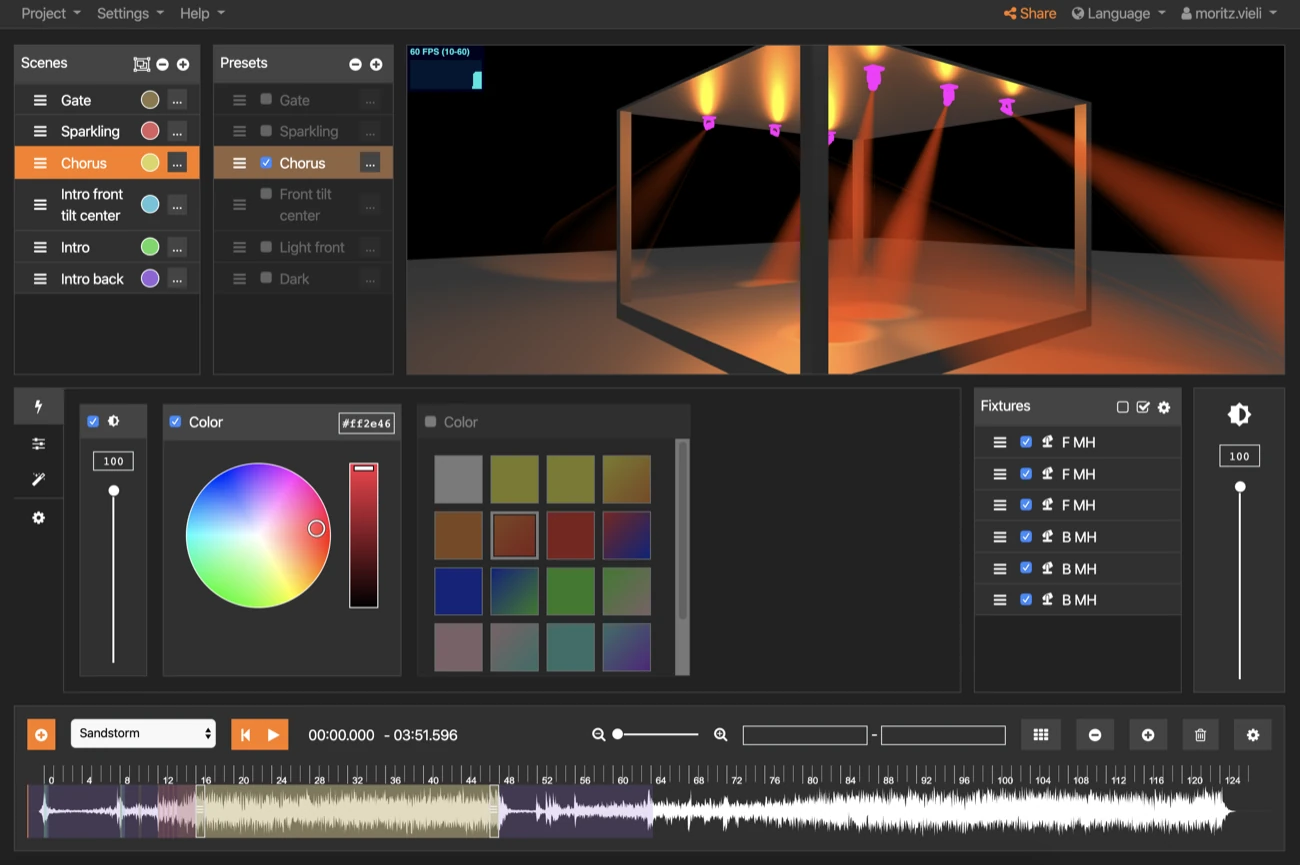
Ember plays what you build in the free Rocket Show designer. Pick your fixtures, give every song its looks — verse, chorus, the hit at the end — and watch them on a 3D stage before you plug anything in.

It runs in your browser on Windows, Mac, Linux or a Chromebook. Plug Ember in, switch the preview to your real lights, and your fixtures light up as you design.

Try the designer in your browser Free, and nothing to install.
How it works

Design it. Copy it. Play it.

The work happens in your browser. Ember only plays it back — which is why it is small, simple and hard to break.

  1. Design in your browser

    Build your looks in the free Rocket Show designer, start from a template for your lights, and see them in 3D. With Ember plugged into your laptop, your real fixtures light up as you design.

  2. Copy it onto the stick

    Put your songs in a setlist, give each one its tempo, and copy the show onto Ember — straight from the browser, or as a file, the way you copy onto a USB drive.

  3. Play it anywhere

    Plug Ember into a charger or a power bank and it plays on its own: step through the set with the footswitch, the button or your setlist app, or let a loop run from the moment the power comes on.

Made for

Your own looks, without a lighting tech.

Bands and solo acts

Your own looks for every song on the light set you already own, instead of its sound mode. Stepped by foot, on the beat.

Churches

Walk-in, worship, prayer, sermon: a few named looks any volunteer can step through with one button — or that ProPresenter calls up.

Haunts, museums and installations

A loop that starts when the power comes on and picks up after a power cut. A pressure mat, a sensor or a button sets off the next effect.

Theatres and community halls

The house lights up on power-up, the looks of a simple show stepped with one button, each with its fade — or a backup next to the desk.

Packs and prices

Everything the show needs. Nothing it doesn't.

Ember is in development, so the details and the prices may still change before launch.

Ember

€89 planned price, VAT included

  • One isolated DMX output for up to 512 channels, on a 3-pin XLR
  • USB-C for power and data: a charger, a power bank, a laptop or an iPad
  • A jack for the footswitch — or for buttons, mats and sensors in an installation
  • Plays your setlist or a loop from power-up, and resumes after a power cut
  • Follows setlist apps and ProPresenter over MIDI on the same USB cable
  • Works as a USB-DMX interface while you design
  • No Wi-Fi, no app, no account, no subscription

Ember for bands

€129 Ember with the display footswitch · planned price, VAT included

  • Back, tap and next, on silent switches
  • A display with the song, the part and the beat, readable from where you stand
  • Pick another song for a request without touching the lights
  • Powered by Ember over its cable — nothing else to plug in

The designer

  • Free, in the browser, on Windows, Mac, Linux or a Chromebook
  • A 3D preview that shows exactly what Ember will play
Questions

What people ask about Ember.

Do I need a laptop on stage?
No. The laptop is for designing, at home or in rehearsal. On stage Ember plays the show on its own, from a charger or a power bank.
Will it work with my lights?
Ember speaks standard DMX512, so it drives DMX fixtures of any brand: LED pars, bars, moving heads and the light sets many bands own. The designer knows hundreds of fixtures, and will come with templates for the light sets bands buy most.
Does it follow the music?
Ember plays the looks you designed, at the tempo of each song. Tap the tempo on the footswitch to stay with your drummer, or let your setlist app send MIDI clock. It does not listen to the room — that is what your lights' sound mode is for.
How is it different from SPARK?
SPARK runs your whole show: backing tracks, click, video, lights and MIDI, from one box. Ember does one thing — light — and is a fraction of the size and the price. If you play to backing tracks or need video, SPARK is the one.
When can I get it, and what will it cost?
We are building the first prototypes now. The planned prices are €89 for Ember and €129 for Ember with the footswitch for bands, VAT included. Everybody on the waitlist hears first how it is going, the final price and when it can be ordered — and gets the first units.
Waitlist

Be the first to get Ember.

Leave your address and we will keep you posted as Ember takes shape — and let you order before anybody else.

  • News from the prototypes and the first shows
  • The final price and the order date, before anybody else
  • The first units, when they are ready

Join the waitlist

We use your address only to write to you about Ember. Reply to any of our mails to come off the list.