Rocket Show SPARK · For bands & touring acts

Tracks to FOH, click to the in-ears —
one press starts the song.

Backing tracks, click, lights and video, all locked together and fired from your drum pad, a footswitch or your phone. The same show in every venue — and no laptop on stage to babysit.

30-day money-back guarantee — no questions asked

  • 1,000+ users
  • 15 countries
  • No subscription required
Rocket Show SPARK hardware unit
Discover more
Why SPARK

Built for the set you play tonight.

One box that does one job — so you can watch the room instead of a screen on a stand behind the amps.

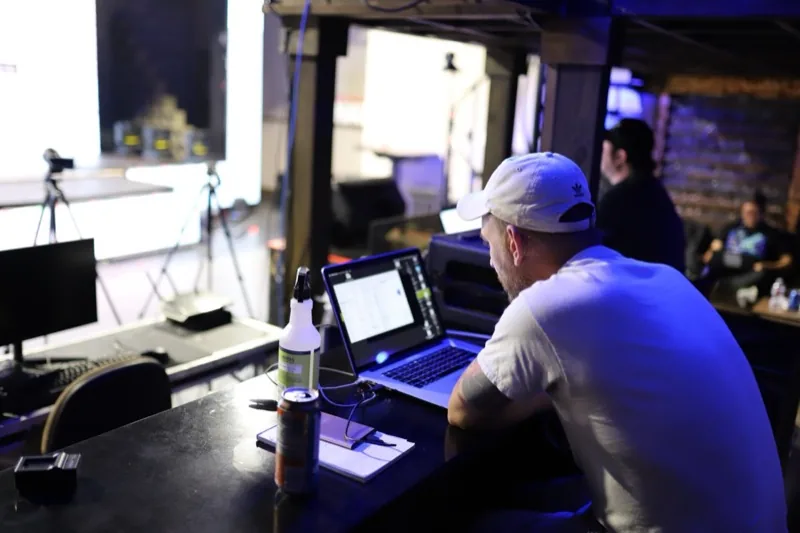
No laptop on stage

Nothing to wake up, nothing that wants to update itself, no fan spinning up on a quiet intro, no crash three songs in. SPARK boots into your set and stays there.

The click never reaches the room

Two independent stereo outputs: tracks to the desk on one, click and guides to the in-ears on the other. Four channels in total, so the drummer gets the count and the audience never hears it.

Load in, plug in, play

Two audio cables, a DMX line and you're up. The same rig in a 200-cap club and on a festival stage — without spending the changeover re-patching a computer.

Product video

Watch SPARK run a whole show.

Two minutes: lights, video, audio and MIDI firing together from a single unit — with no laptop anywhere in the rig.

Nothing loads from YouTube until you press play.

How it works

Three steps from rehearsal room to stage.

01

Build the set

Give every song its own file: backing tracks and click, then lights, video and MIDI on the same timeline. Build it on your computer, tablet or phone.

02

Order the setlist

Group the songs into a set, in the order you play them. Songs that segue chain automatically; the rest wait until you're ready.

03

Hit it

Start each song from your drum pad, a footswitch, your phone — or the MIDI controller you already use. No computer on stage.

On stage

One press. The whole song.

Every song is a single file. What starts it, and where each signal goes, is up to you.

What starts a song

Your drum pad
A MIDI note or program change from the pad, the pedalboard or a keyboard starts the next song — the same controller you already play.
A footswitch
Two digital inputs take a simple contact closure, so a plain latching footswitch works. Terminal blocks are in the box.
Phone or tablet
The web interface runs in any browser — handy for the tech at the side of stage, or for the singer's iPad on a mic stand.
Straight into the next one
Autoplay chains the next song in the set the moment the current one ends — for segues nobody should have to catch.
A second unit
Chain units over LAN or MIDI so one triggers the rest of the rig.

Where the signal goes

Tracks → FOH
Stereo output 1 carries your backing tracks straight to the desk. 16-bit / 48 kHz, 98 dB signal-to-noise.
Click → in-ears
Stereo output 2 is fully independent: click on one side, guide vocals or cues on the other. Nothing leaks into the house mix.
Lights
A lighting scene per song over DMX512 or Art-Net — your own bar of fixtures, or the house rig when the venue hands you a DMX line.
LED wall or screen
HDMI up to 4K, locked to the track down to the frame.
Your MIDI rig
Patch changes on the keys, presets on the pedalboard, sent at exact timestamps inside the song — on the beat, not from memory.

The two stereo outputs can also be split into four separate mono sends — tracks, click, guide vocal and a spare — if that suits your monitor rig better.

The hardware

Built for the backline.

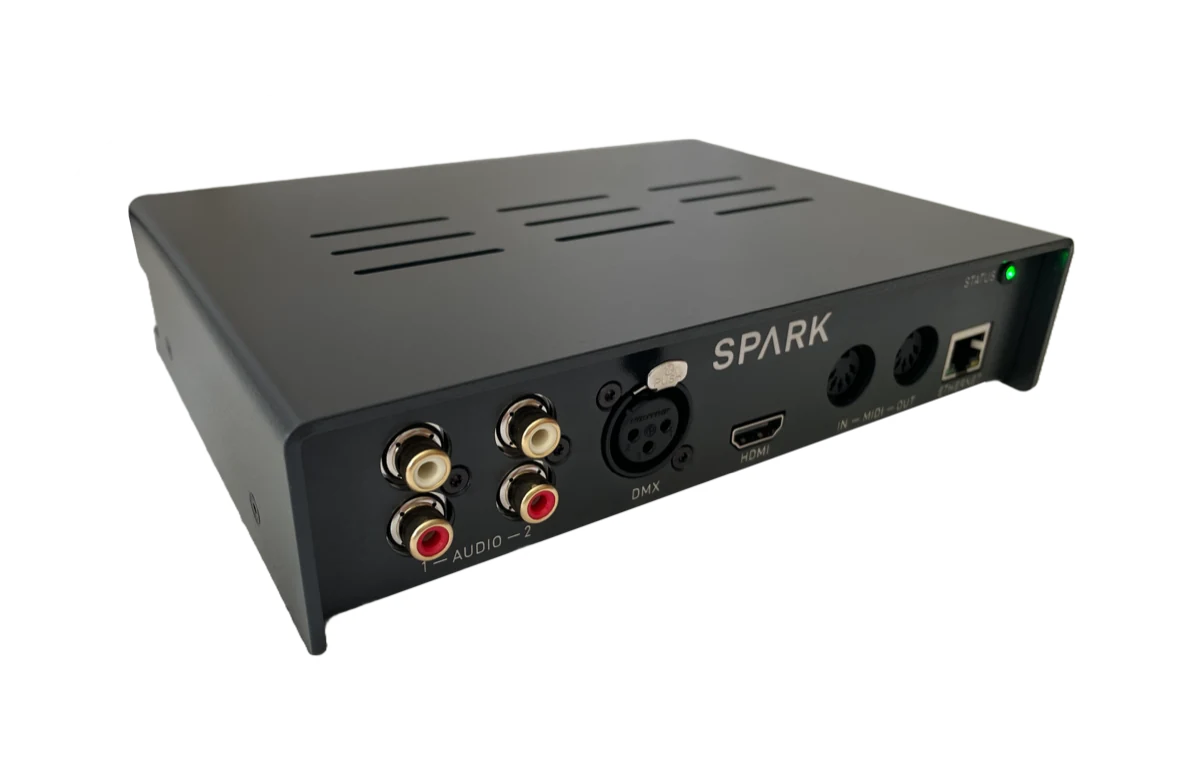
Professional connectivity in a compact, road-ready unit — put it in the rack, tape the cables down and forget about it.

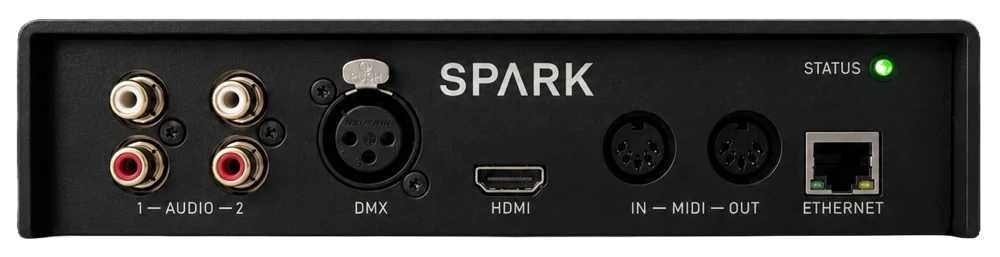
Front panel of the Rocket Show SPARK unit
Front
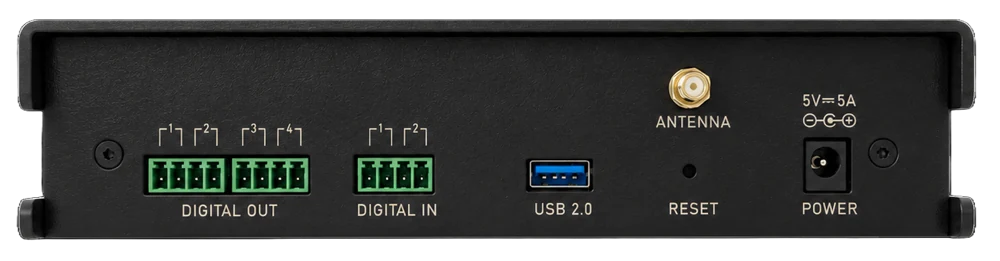
Back panel of the Rocket Show SPARK unit with ports
Back

Drops straight into your stage rig

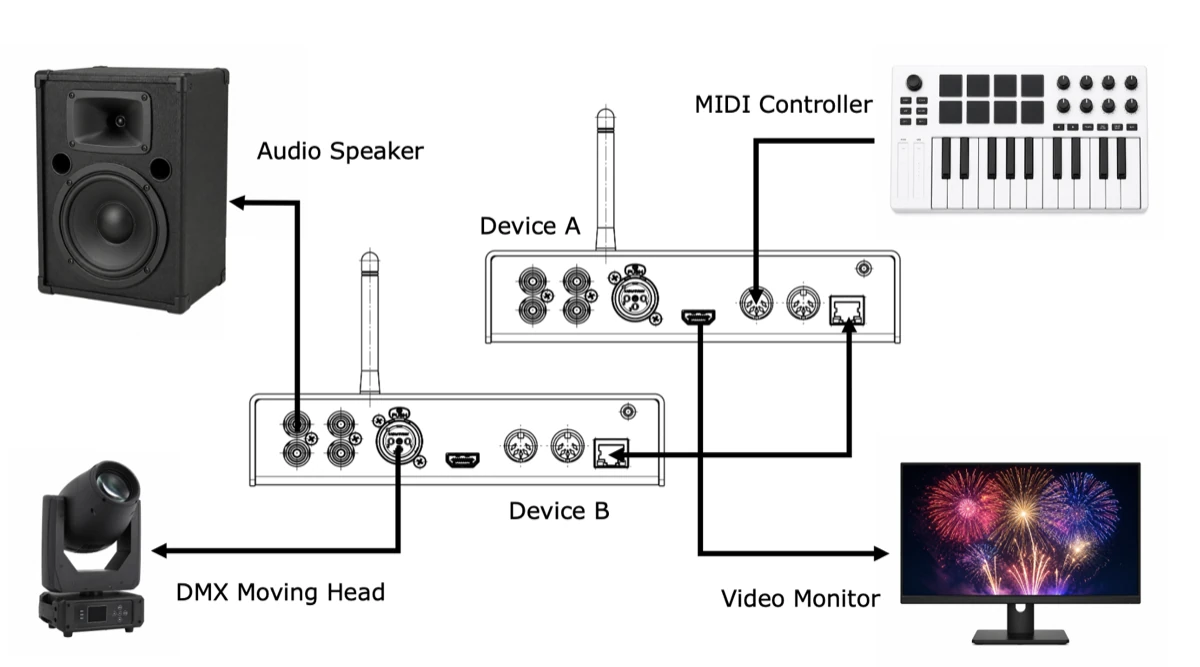
Tracks to the desk, click and guides to the in-ear rack, DMX or Art-Net to the lights, HDMI up to 4K to the LED wall, and MIDI in and out for the pad, the pedalboard and the keys rig. Add a second unit over LAN or MIDI when the show grows.

  • Tracks to FOH, click to the in-ears
  • DMX & Art-Net for your lights
  • HDMI up to 4K for the LED wall
  • MIDI in / out for pad & pedalboard
Wiring diagram showing SPARK connected to lights, screens, audio and MIDI
Technical features

Everything the set needs, on one box.

Tracks & click

WAV, MP3 and many more formats. Two independent stereo outs keep the click off the FOH mix.

Lights that follow the song

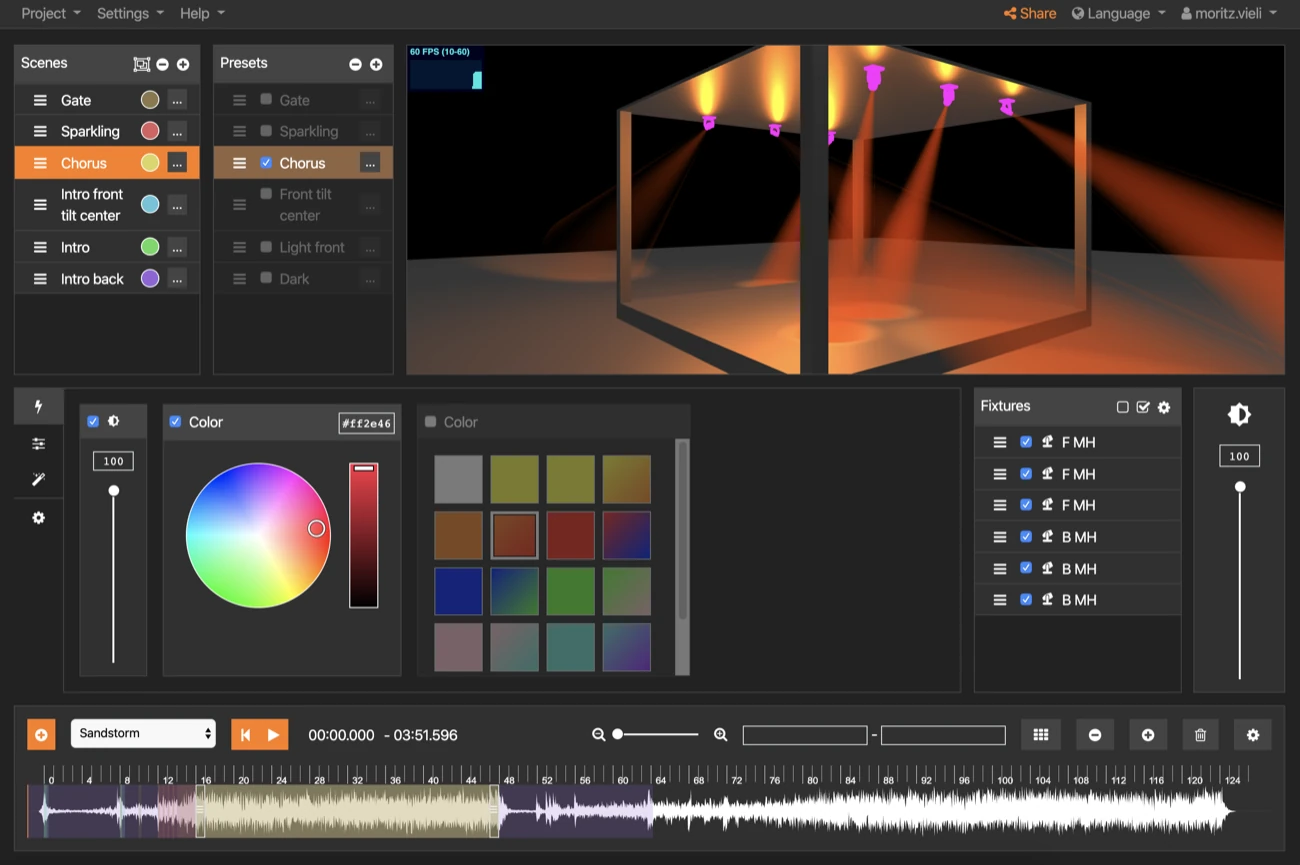
Design a scene per song in the open-source designer and run it over DMX or Art-Net — no lighting op required.

Video & LED wall

Up to 4K over HDMI, locked to the track down to the frame.

MIDI to your rig

Patch changes on the keys and presets on the pedalboard, on the beat, every single night.

Start it from the kit

Drum pad, footswitch, phone or tablet — trigger from wherever you happen to be standing.

Sets & setlists

Group songs into sets, reorder them for the night, and reuse the same song in as many sets as you like.

Technical specifications

The full sheet, nothing hidden.

Everything you need to check SPARK against your desk, your monitor rig and your lights.

Inputs & outputs

Audio
2 × independent stereo outputs (4 channels total), usable as separate mono outputs
Audio quality
16-bit / 48 kHz · SNR 98 dB typ. · dynamic range 98 dB typ.
MIDI
MIDI In and MIDI Out
Lighting
DMX512 output (3-pin) · Art-Net over Ethernet · multiple universes
Video
HDMI output, up to 4K
Digital I/O
4 × outputs, 2 × inputs · 3.3 V, ≤ 8 mA per pin · terminal blocks included
USB
USB 2.0 high speed — for extra audio/MIDI interfaces or peripherals

System & network

Computing unit
Broadcom BCM2712 quad-core 64-bit Arm Cortex-A76 @ 2.4 GHz · 2 GB RAM
Storage
64 GB — around 49 GB free for your shows
Network
Ethernet · Wi-Fi 2.4 & 5 GHz (802.11 b/g/n/ac), antenna included
Dimensions
20.1 × 14.8 × 4.7 cm (L × W × H)
Power
5 V DC, up to 25 W under full load · power supply included
In the box
SPARK unit · power supply with adapter · Wi-Fi antenna · 3 × terminal blocks · printed Quick Start Guide

Indoor use · 2-year warranty · Full details in the Quick Start Guide.

Trusted by creators

Sets that just run — every night of the tour.

“Our backing tracks used to run off a drum pad. Today one button press starts the whole set: click, samples and lights, perfectly together every night. And no risk of a laptop overheating!”
Adrian Gisler Arcaine
“Setup was faster than I expected, and the support is outstanding. Worth every euro.”
Chris Bluemoon Virus of the Cactus
“We've had several light and music installations running on Rocket Show SPARK for over 5 years — among them the famous Zauberwald in Lenzerheide.”
R. Wilhelm Head Smashed

Open source on GitHub since 2017 — no licence server, no lock-in. Your shows keep running, whatever happens to us.

Everything included · one price

Own it outright for €795

  • Rocket Show SPARK hardware unit
  • Show editor & lighting designer — no licence fees, no subscription required
  • Lifetime software & firmware updates
  • 2-year warranty
  • 30-day money-back guarantee
Buy now — €795

30 days to change your mind. Send it back, no questions asked.

Designed & built in Switzerland

VAT included · + €40 shipping worldwide, less in the EU · Delivery in about 2 weeks

Pay with PayPal, Apple Pay, Google Pay, credit card & more

Before you buy

The questions we get most.

Why not just use the laptop we already have?
Plenty of bands do, and it works — until it doesn't. A laptop is a general-purpose computer that also wants to update itself, go to sleep, throttle when it gets hot and put a dialog box on screen. SPARK does one job: it boots straight into your set, with the click already routed away from FOH and the lights already tied to the song. If your laptop has never let you down, keep it. If you have ever restarted a machine between songs, that is what the €795 buys.
Can I send the click to the in-ears and the tracks to FOH?
Yes — that is the normal setup. SPARK has two independent stereo outputs, four channels in total. Tracks go out on the first pair to the desk; click and guide vocals on the second to your in-ear rack. The two are fully separate, so nothing bleeds into the house mix. They can also be used as four separate mono outs.
How do we start each song?
However suits the band: a MIDI note or program change from a drum pad, pedalboard or keyboard; a plain footswitch wired to one of the two digital inputs; or the web interface on a phone or tablet. Songs that segue can also chain automatically so nobody has to catch them.
Can it change patches on my keys and pedalboard?
Yes. MIDI Out sends notes, program changes and control messages at exact timestamps inside the song, so patch and preset changes land on the beat instead of on someone remembering to tap a switch.
What if we change the setlist at the last minute?
Each song is its own file, and a set is just an ordered list of them. Reorder it from your phone in the dressing room, and keep as many sets as you play — festival short set, headline set, acoustic night — all drawing on the same songs.
We don't have a lighting person. Is the lighting actually usable?
That's exactly what it's for: you design a scene per song once, and it runs with the track from then on. Worth being clear about what you need on the other end, though — SPARK sends DMX512 or Art-Net, so it drives your own bar of fixtures, or a house rig when the venue gives you a DMX line. In a club that keeps its lights on its own desk, you'd still be running your own fixtures.
Does SPARK work with my existing lighting rig?
Yes. SPARK speaks standard DMX512 over its 3-pin output, so it drives the fixtures, dimmers and moving heads you already own — no need to replace anything.
What happens if a unit fails mid-show?
SPARK is built to run unattended for years, but no single piece of hardware is immune. For shows that genuinely cannot stop — theatre runs, permanent installations, ticketed events — we recommend keeping a second unit on the shelf as a backup. Your show files copy across in minutes.
Can I just run the software on my own Raspberry Pi?
You can. The software is open source and there's a free Community Edition image for Raspberry Pi on our products page — the same show engine, but you supply the hardware and set it up yourself, so what you end up with depends on the Pi and interfaces you pick. SPARK is the version we build, test and support as one unit: the right ports on the back, a tested image, a 2-year warranty, and it runs out of the box. If tinkering is half the fun, start with the Community Edition. If it just has to work on show night, buy the box.
How long does shipping take, and what does it cost?
Delivery takes roughly two weeks. Shipping is a €40 flat rate worldwide, and less within the EU.
Are VAT, customs and duties included?
VAT is already included in the €795 price. Any customs duties or import charges in your country are paid by you on delivery, as is normal for international orders.
What if it isn't right for me?
Send it back within 30 days, no questions asked. Open the box and try it properly — we just need everything that came in it returned.
One controller

One box, every stage you play.

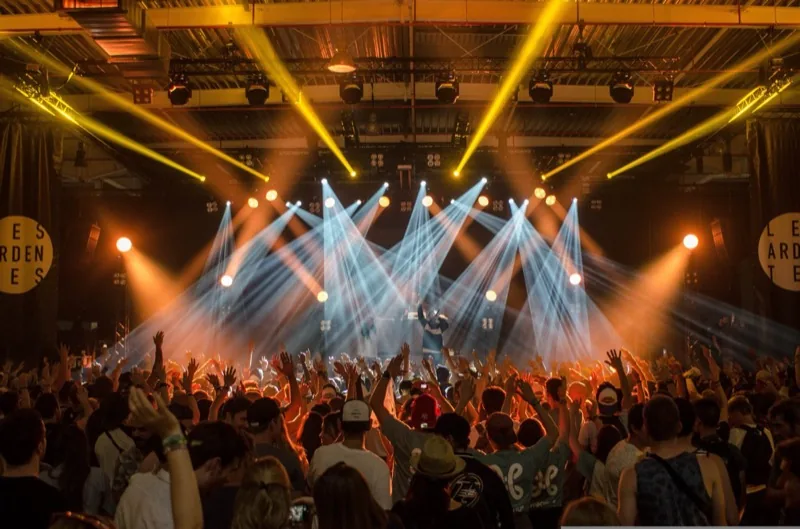
Club, festival, church hall or theatre — the same set runs the same way.

Not ready to buy?

Talk to us first.

Tell us what you're running — tracks, click, lights, the lot — and we'll tell you honestly whether SPARK fits, before you spend anything.

  • Kitting out a touring rig, or a unit each for a few bands? We do custom pricing on multiple units.
  • Quotes, invoices and purchase orders for institutions — no problem.
  • Answers from the people who build it, usually within one working day.

We only use your details to answer you. No newsletter, no sharing.

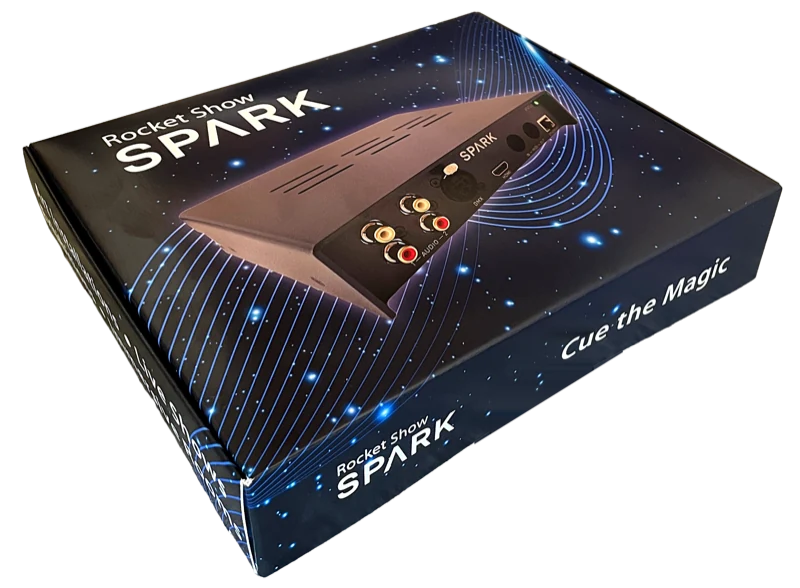
The boxed Rocket Show SPARK as it ships

Get started, risk-free.

Unbox, patch it in and run your first song in minutes — backed by a 30-day money-back guarantee if it's not for you. Connections, outputs and setup are all in the Quick Start Guide.

Download Quick Start Guide (PDF)

No more laptop on stage.
Let SPARK run the set.

Reliable, synchronized playback — every gig, every night of the tour.

Buy now — €795

30-day money-back guarantee — no questions asked
Not sure yet? Ask us about your setup →